SICK MACHINE VISION NEWSFEED
SICK NOVA AND
SICK STREAM SOFTWARE
LATEST SOFTWARE UPDATES
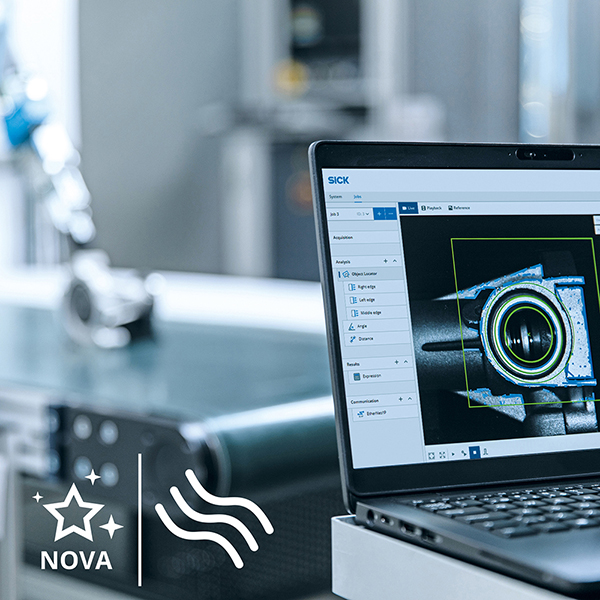
Stay up to date with information about the latest software releases for SICK Nova and SICK Stream software here.
SICK Nova 2.17 - Highlights
SICK Nova version 2.17 takes quality control to the next level.
Packed with powerful new AI-driven and rule-based tools, enhanced 3D capabilities, smarter inspection workflows, and expanded connectivity options, this release delivers greater accuracy, flexibility, and efficiency across a wide range of machine vision applications. Here are some of the highlights:
Discover AI for 3D, where height meets intelligence. Enabling easy setup with teaching by example, AI-powered height data analysis with Color and contrast independence.
Enjoy advanced defect detection with the power of distinguishing true defects from normal variation with enhanced robustness and accuracy thanks to AI Anomaly Detection dStudio Experience smarter code reading with the new Code Reader and Multi Code Reader tools.
For reliable object tracking, check out the Flow Counter tool available for 2D. Version 2.17 also brings HTTP API integration for better connected workflows, improved insights by the added Diagnostics tab and SFTP support in the Image Collection tool.
SICK Nova 2.17 provides everything needed to build even more intelligent and reliable inspection solutions.
Read more below.
AI for 3D – Support for height component in AI tools (Preview)
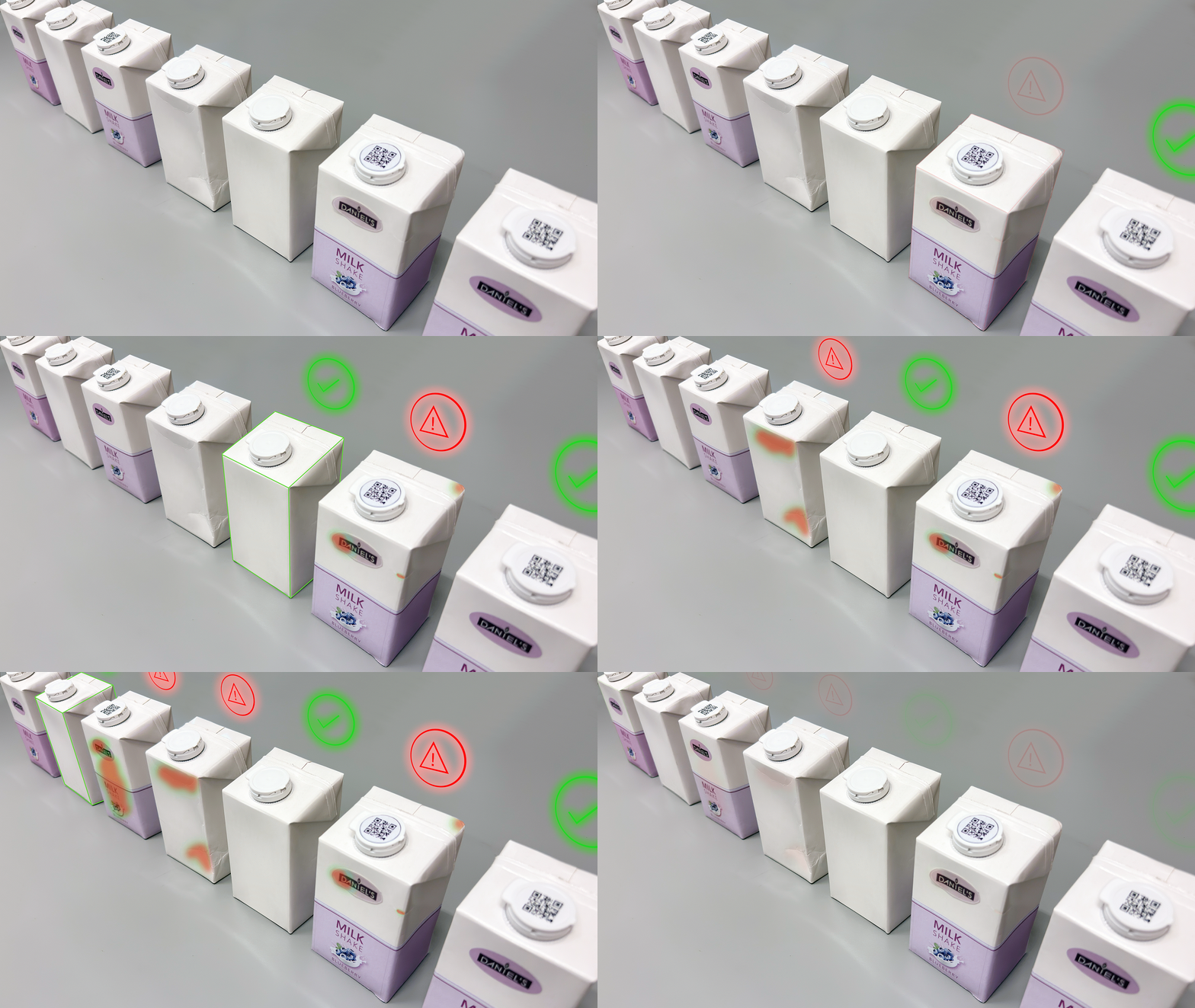
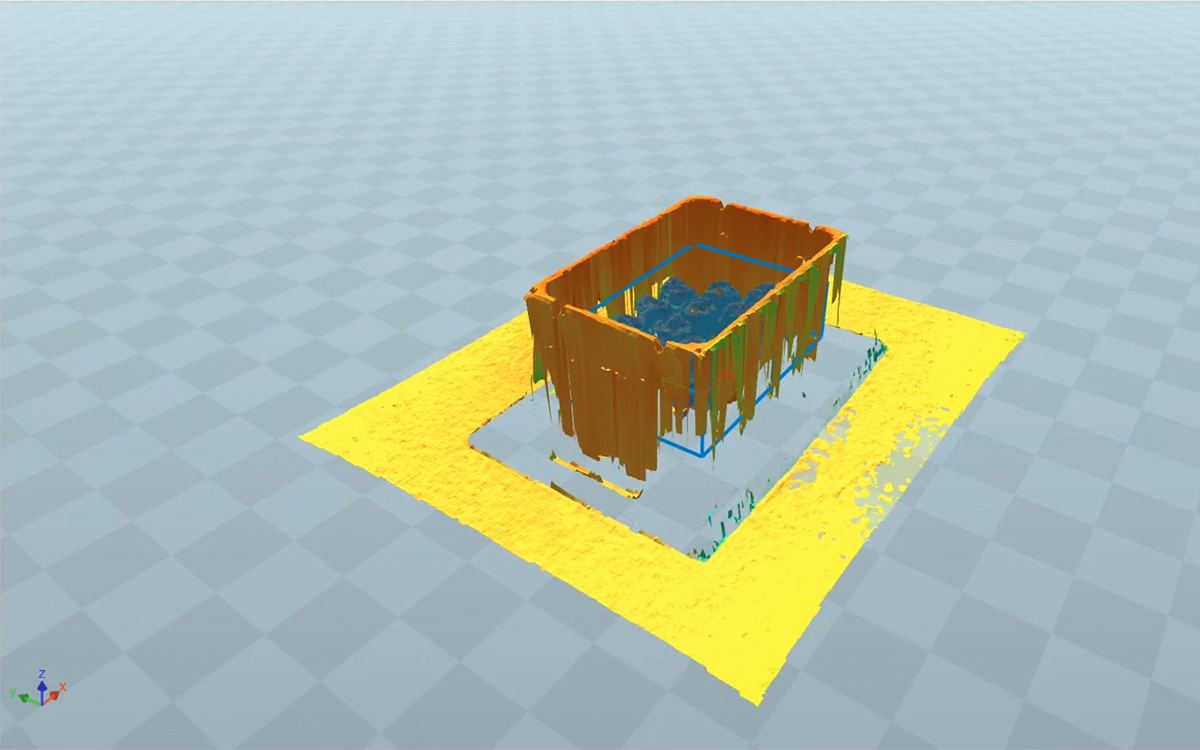
By combining artificial intelligence with true height-based understanding, AI-supported 3D vision goes beyond traditional 3D imaging and adds inspection capabilities to the third dimension. By capturing the height, volume, pose, and true shape of objects with AI tools, users can solve applications quickly while gaining new levels of inspection abilities. This enables reliable detection even when objects share the same color or pattern. The result is reliable and adaptable inspection performance for demanding industrial applications.
In SICK Nova version 2.17, all AI-tools (except AI Classification (dStudio) ) now support using the height component instead of intensity.
- Easy setup with teaching by example
- AI-powered height data analysis
- Color and contrast independence
→ See video of AI Anomaly Detection for 3D solving packaging inspection
→ See video of AI Anomaly Detection for 3D solving completeness check
→ See video of AI Object Detection for 3D solving completeness check
→ See video of AI Anomaly Detection for 3D solving emptiness check
→ Download SICK Nova here
AI Anomaly Detection (dStudio)
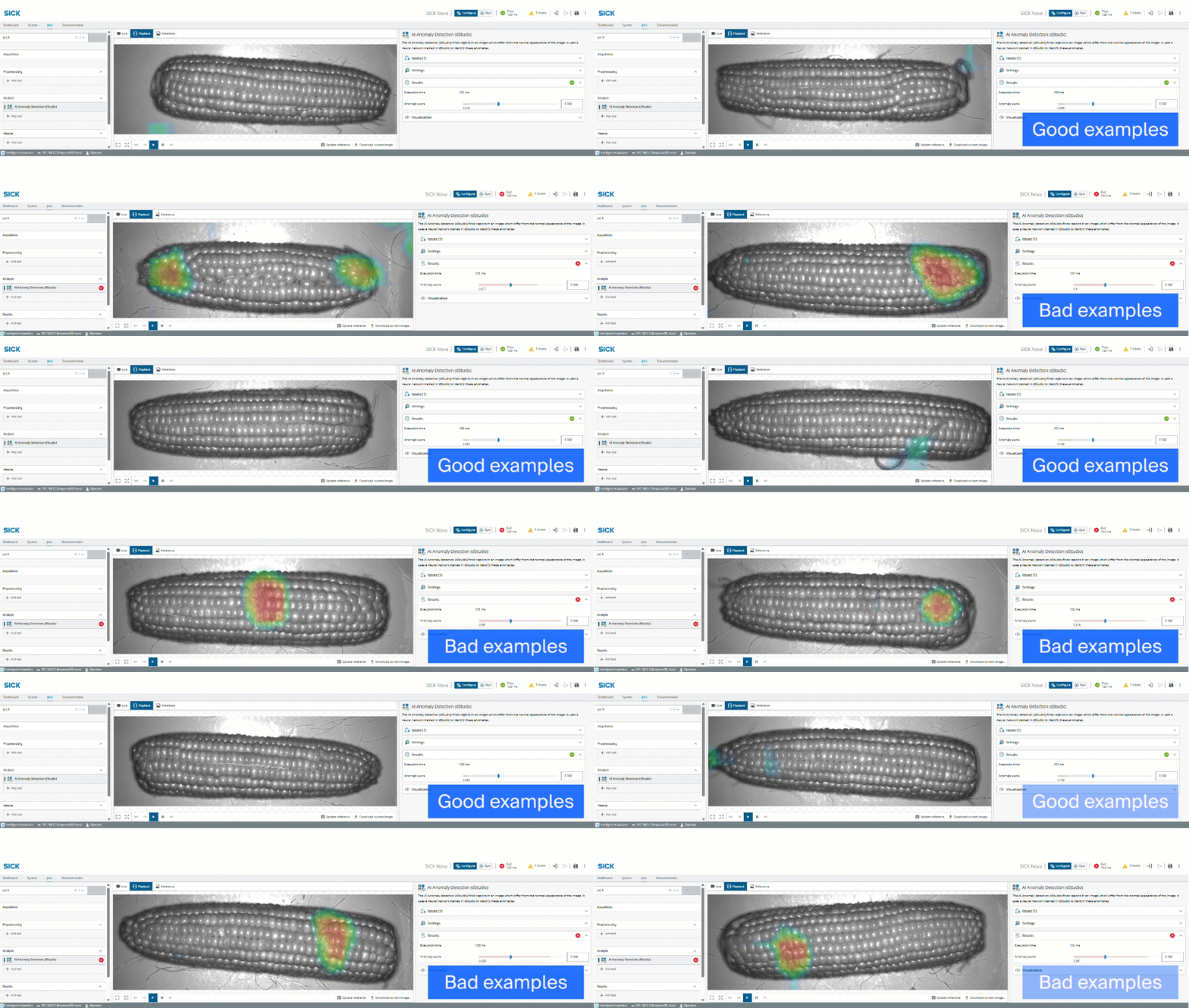
Experience superior defect detection with the power of distinguishing true defects from normal variation with enhanced robustness and accuracy thanks to AI Anomaly Detection (dStudio). The tool can learn from an unlimited number of samples and leverages large sets of good samples and optionally from bad samples (with pixel-precise annotations if available to further improve precision)—making it ideal for demanding inspection tasks.
AI Anomaly Detection (dStudio) currently only support 2D images/intensity data.
→ Download SICK Nova here
Flow Counter
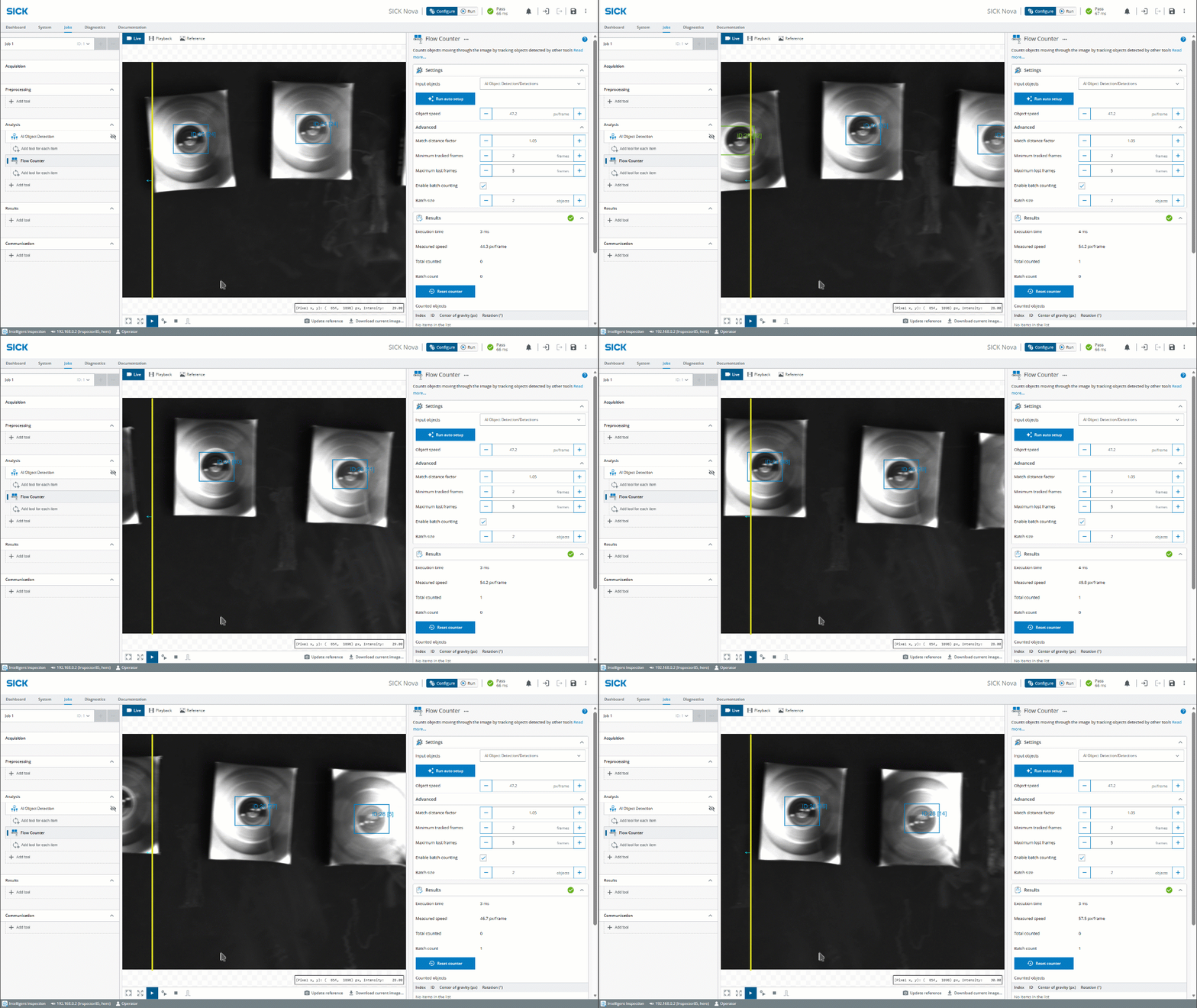
The Flow Counter tool provides accurate, real-time counting of objects moving through the image. By tracking objects detected by other SICK Nova tools, it measures flow automatically and delivers valuable insights into production throughput and process efficiency.
- Count each object exactly once in a flow
- Simplified GUI
- Auto Setup feature
- Batch Counting mode
- Analyze each object acting as a parent tool
→ See video of how it works here!
→ Download SICK Nova here
AI Anomaly Detection and AI Classification as For-Each children
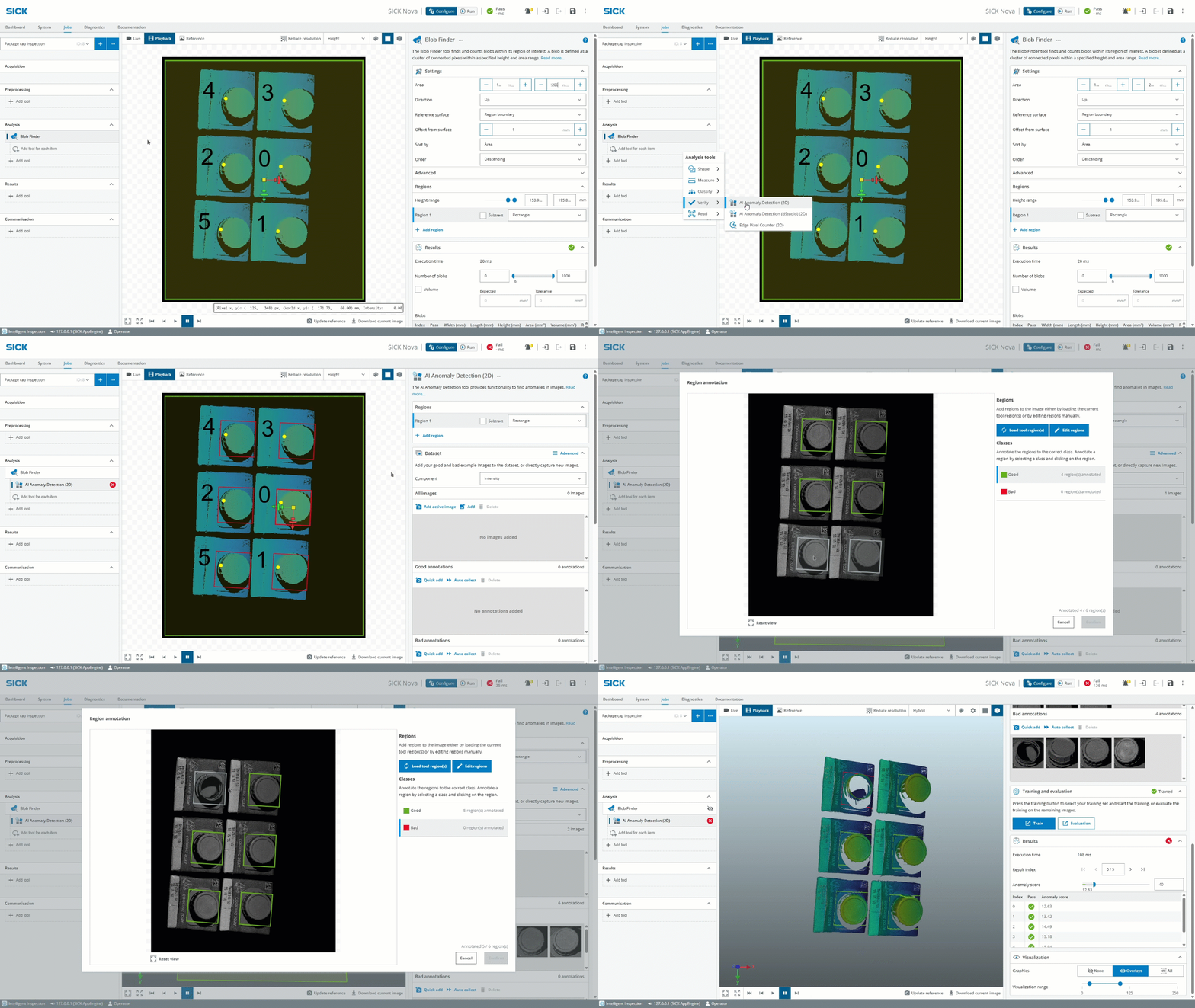
The AI Anomaly Detection, AI Anomaly Detection (dStudio) and AI Classification tools can now be placed in a for-each, operating on every found object from a parent tool. Annotations can be done for every object in an image, enabling automated object-level analysis, improving inspection accuracy, and reducing manual effort when processing images containing multiple objects.
→ See video of how it works here!
→ Download SICK Nova here
Code Reader
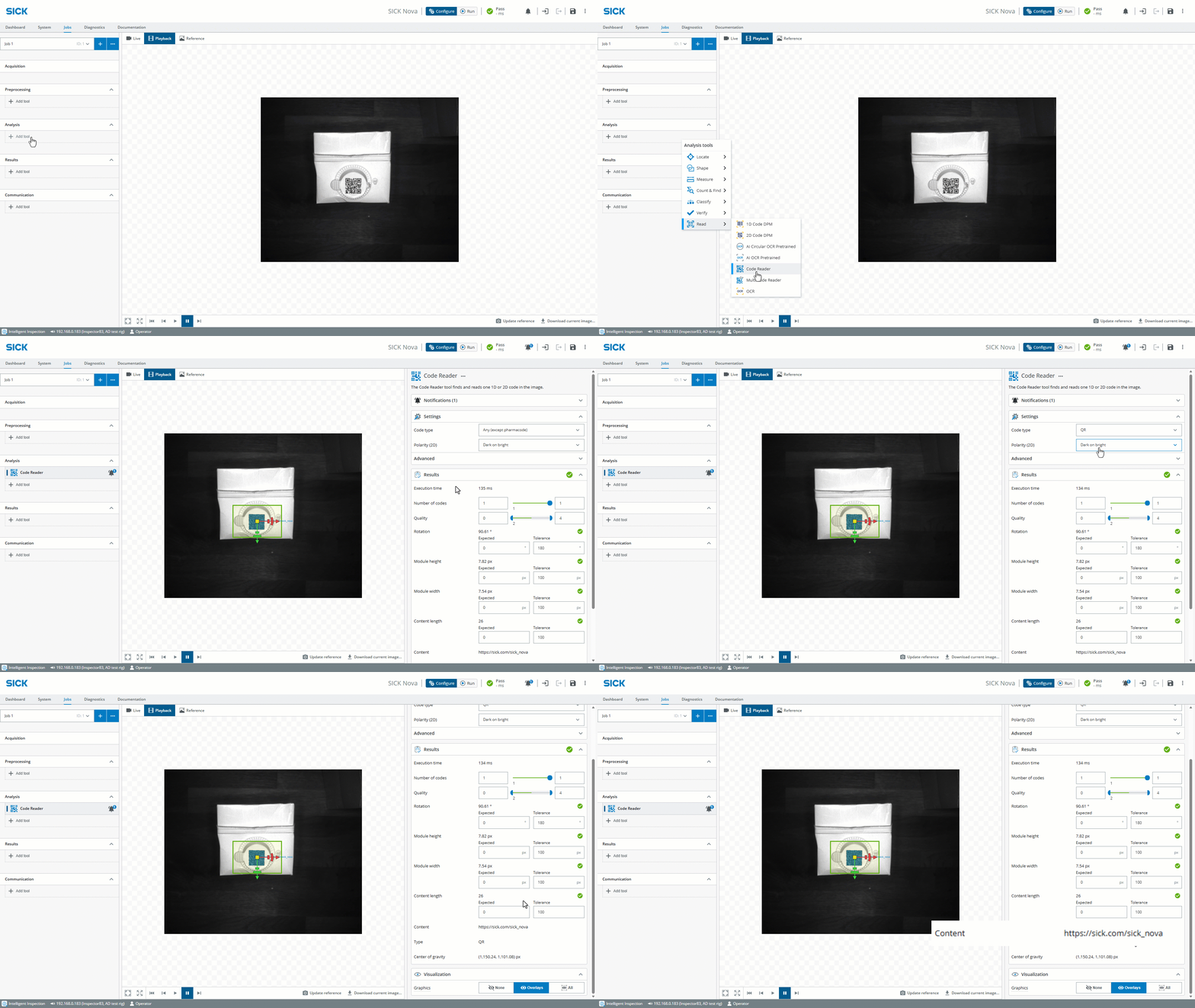
The new Code Reader tool finds and reads one 1D or 2D code in the image – delivering fast, reliable identification for traceability and quality control. If multiple codes should be read, either several instances of the tool could be added or the Multi Code Reader tool could be used instead. The Code Reader tool can act as a child tool in for-each inspections.
For most applications this tool will perform better than the old 1D/2D Code DPM tools.
The new Code and Multi Code Reader tools are currently available for Nova Inspector and Nova Ruler3000 IPC SensorApps
→ See video of how it works here!
→ Download SICK Nova here
Multi Code Reader
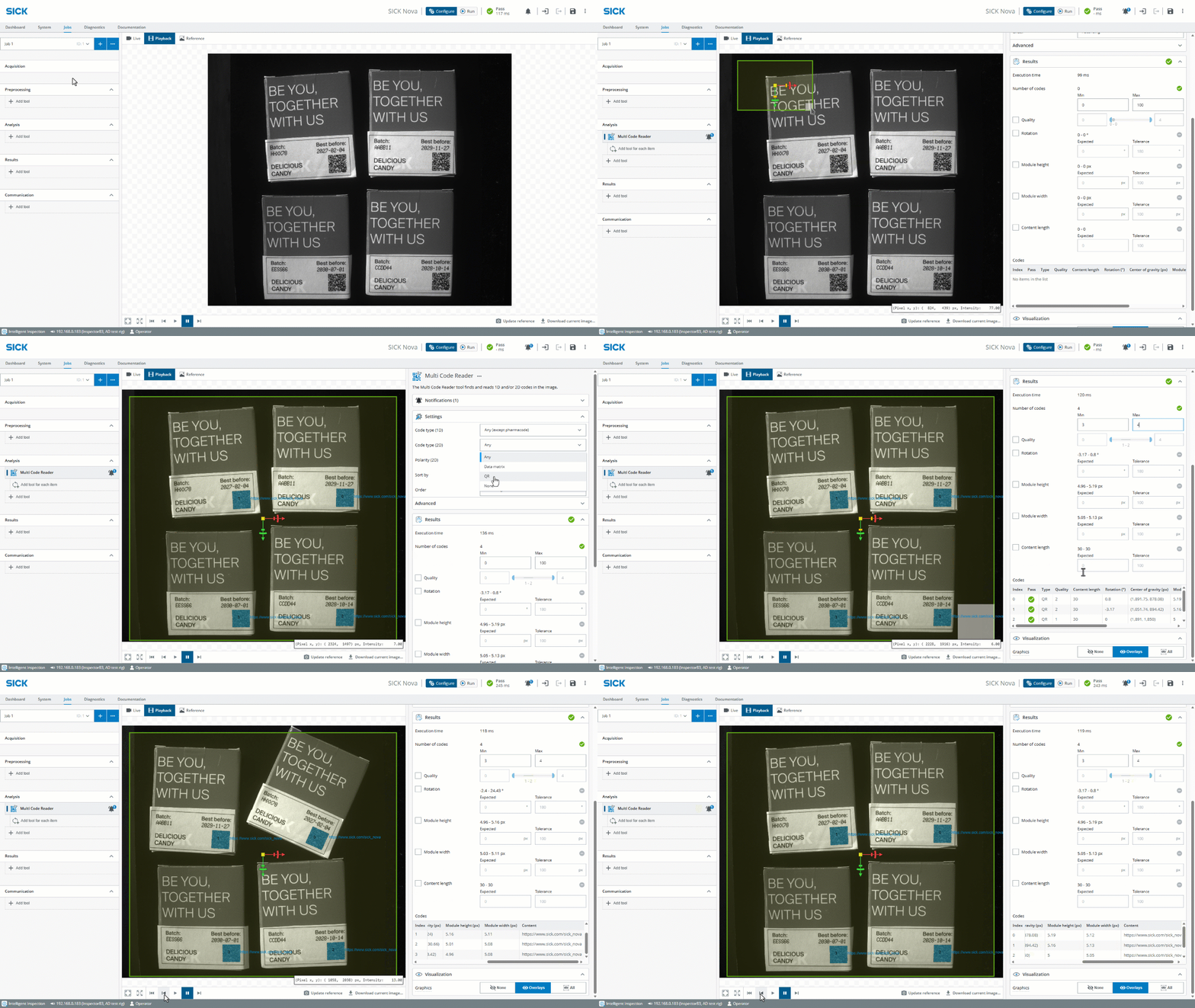
The Multi Code Reader tool finds and reads multiple 1D and/or 2D codes in the image. It can act as a for-each parent tool to enable further analysis relative to the found code positions.
This increases automation and throughput by processing multiple codes in a single image, reduces processing time, improves traceability, and enables targeted inspections or data extraction based on each code's location.
The new Code and Multi Code Reader tools are currently available for Nova Inspector and Nova Ruler3000 IPC SensorApps
→ See video of how it works here!
→ Download SICK Nova here
SFTP support in Image Collection tool
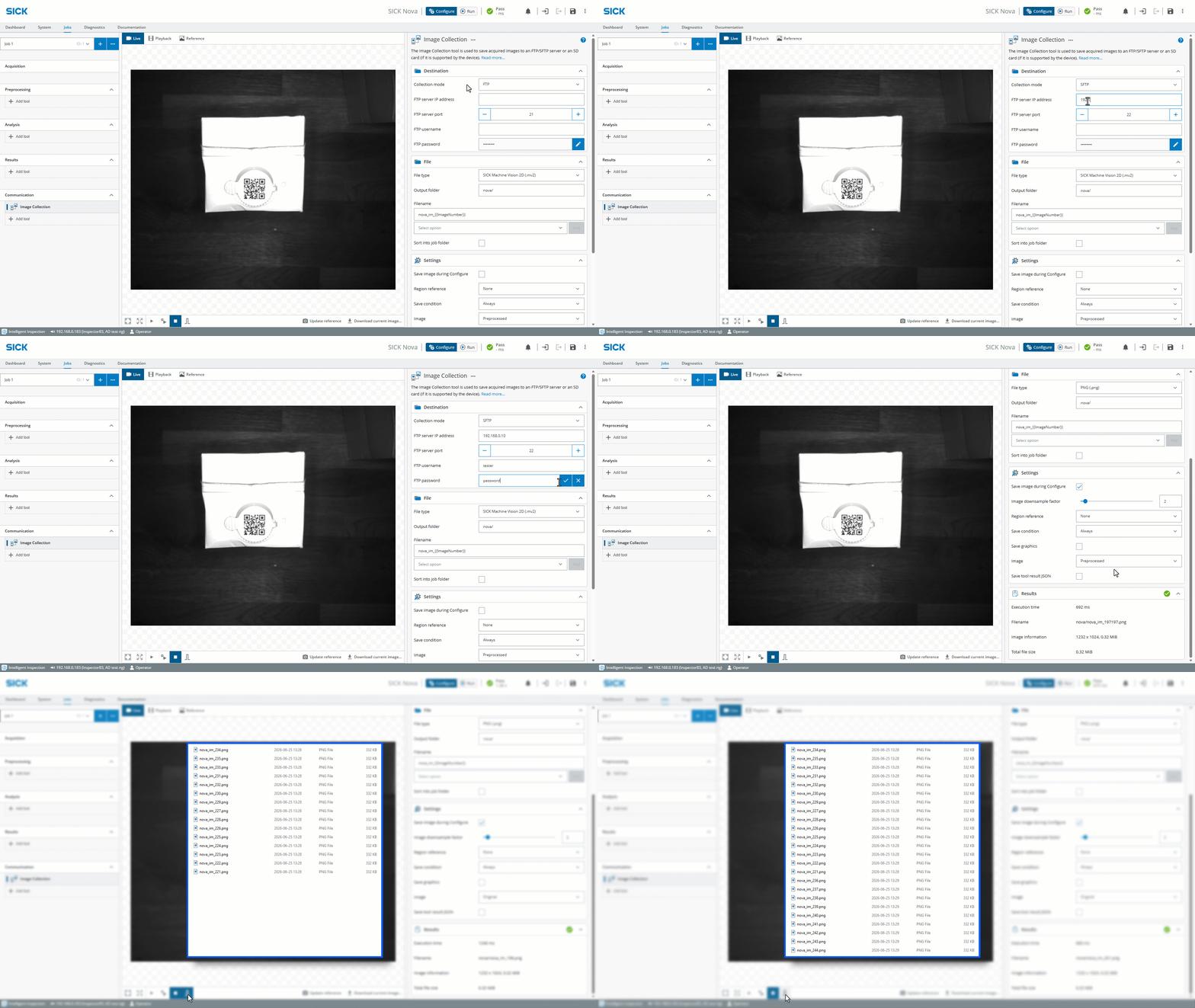
The Image Collection now has support for SFTP (Secure File Transfer Protocol), also known as SSH File Transfer Protocol. The SFTP collection mode enables secure, encrypted, and automated image collection while ensuring data integrity, access control, and reliable transfers.
→ See video of how it works here!
→ Download SICK Nova here
HTTP API
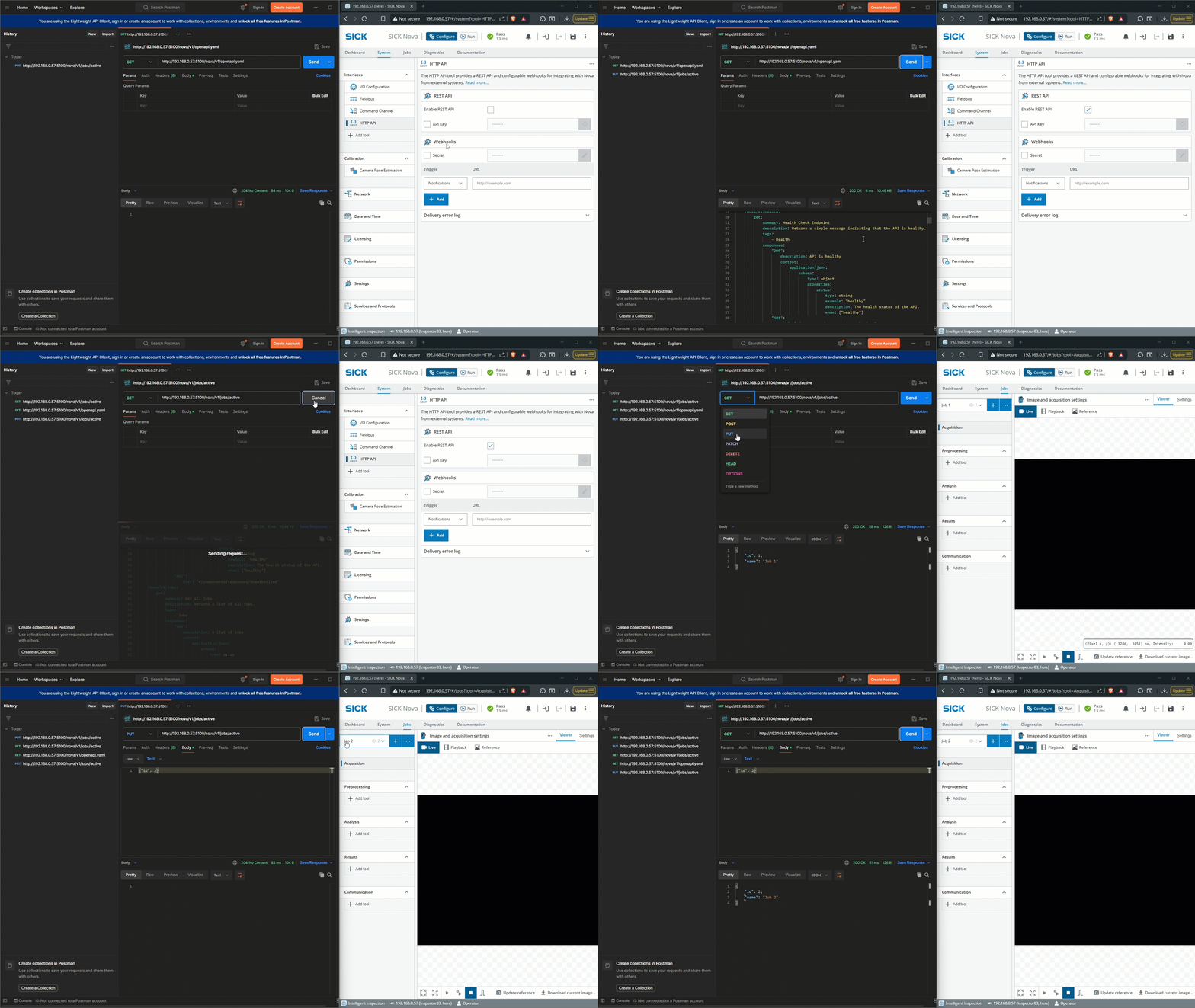
The HTTP API tool is used to access SICK Nova from an external system using HTTP. It provides a REST API for reading system information, managing jobs and notifications, and changing the operating mode. The HTTP API can also send notification updates to configured webhooks. The REST API requires firmware support and is not available on older firmware versions.
→ See video of how HTTP API works!
→ See video of how HTTP API Webhooks works!
→ Download SICK Nova here
Diagnostics tab
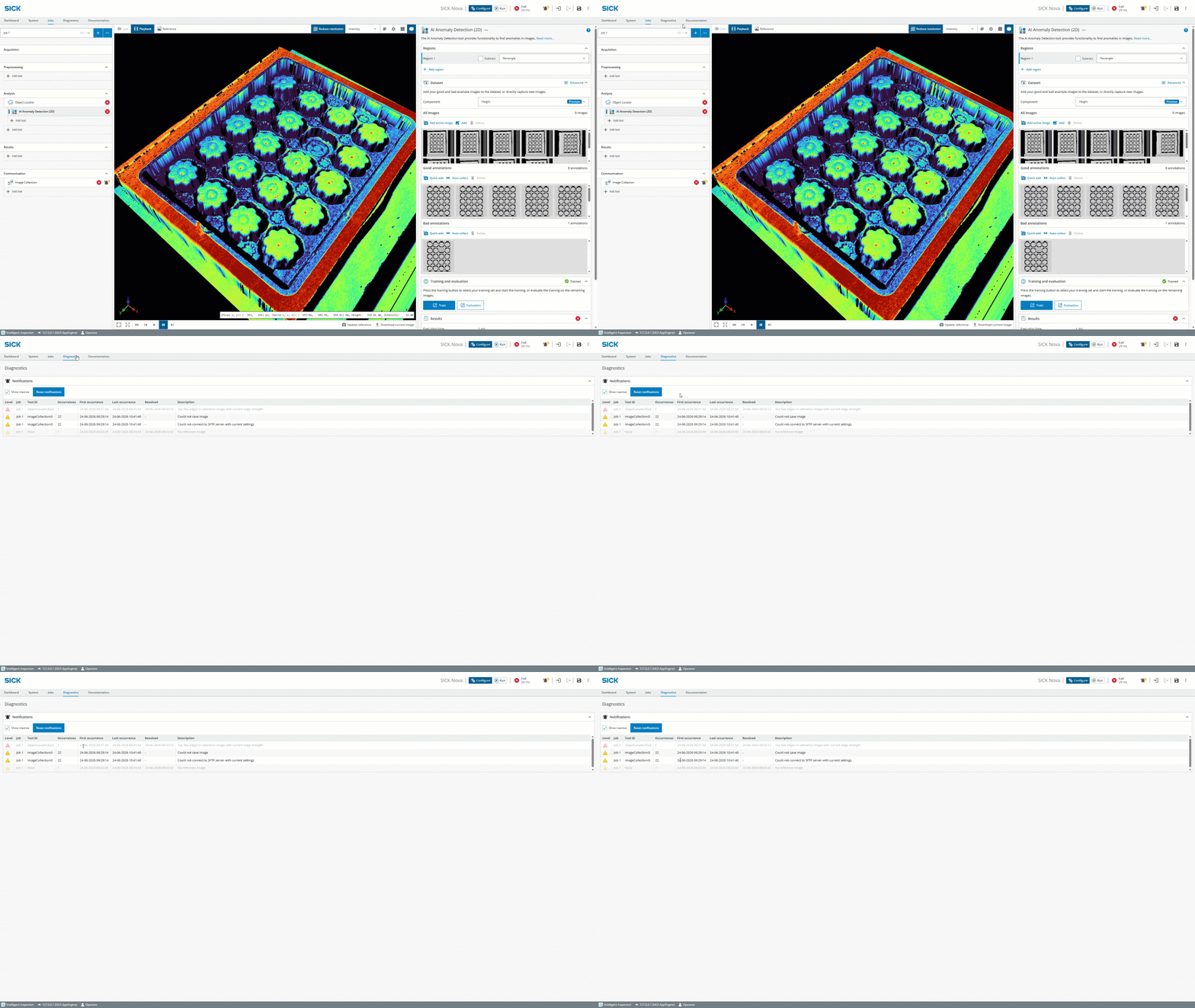
A new Diagnostics tab has been added where a list of notifications (info, warning, and error issues) can be seen.
This improves visibility into system status, helps users quickly identify and resolve issues, and provides faster troubleshooting, by making diagnostic information easily accessible.
→ Download SICK Nova here
SICK Nova 2.16 - Highlights
SICK Nova version 2.16 is, as always, packed with new features and improvements.
Here's some of the highlights:
Starting with SICK Nova for 3D, AI Anomaly Detection, AI Classification, and AI Object Detection tools now support using the height component instead of intensity (Beta version). The AI Blob Finder (dStudio) and AI Object Detection (dStudio) tools can load networks trained on height data.
The new AI Circular OCR Pretrained tool finds and reads embossed and engraved text within a circular region, making OCR reading on circular objects (like tires) a breeze. And don't miss the new Line, Point and Plane tools where the output line/point/plane can be created manually or by referencing other features in the image. These tools are also added for 2D.
A device ready signal has been added to the I/O Configuration tool and can be activated on a digital output. The signal goes high when the device and Nova have started and are in Run mode. During a job switch the signal goes low.
The 2.16 version of SICK Nova also adds functionality to use parent blob as tool region instead of fixed region shapes.
Enjoy this and much more with SICK Nova 2.16.
Read more below.
AI for 3D – Support for height component in AI tools (beta)
In SICK Nova version 2.16, the AI Anomaly Detection, AI Classification, and AI Object Detection tools now support using the height component instead of intensity. The AI Blob Finder (dStudio) and AI Object Detection (dStudio) tools can load networks trained on height data.
- Easy setup with teaching by example
- AI-powered height data analysis
- Color and contrast independence
→ See video of AI Anomaly Detection for 3D solving packaging inspection
→ See video of AI Anomaly Detection for 3D solving completeness check
→ See video of AI Object Detection for 3D solving completeness check
→ Download SICK Nova here
AI Circular OCR Pretrained
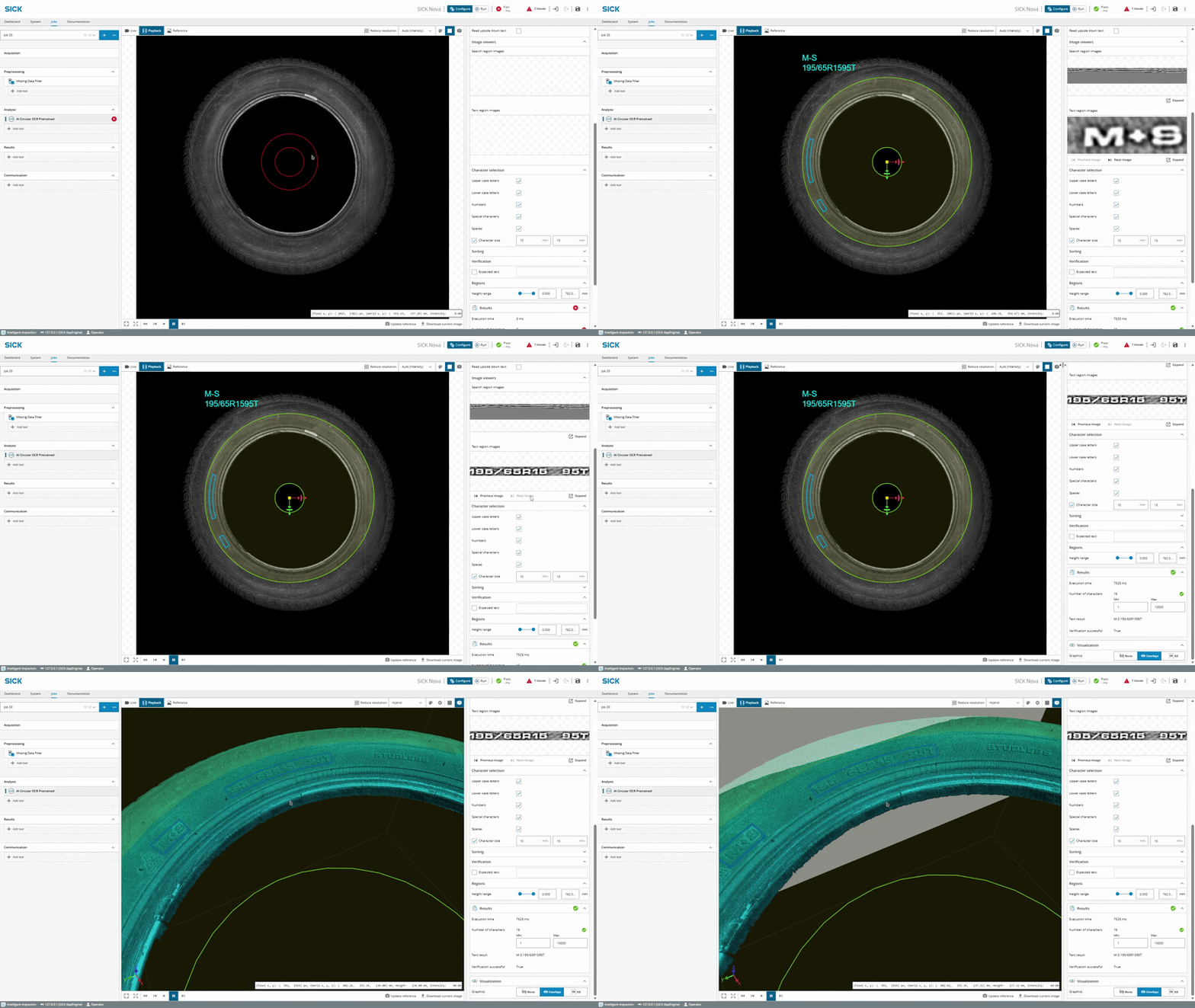
With the AI Circular OCR Pretrained tool, reading text within circular regions with SICK Nova has never been easier. This AI-powered tool enables instant reading without training.
- The AI Circular OCR Pretrained tool for 3D finds and reads embossed and engraved text within a circular region.
- The AI Circular OCR Pretrained tool for 2D finds and reads text within a circular region. The 2D version tool for 3D devices use the intensity or scatter image.
→ See video of how it works here!
→ Download SICK Nova here
New tools: Point, Line and Plane
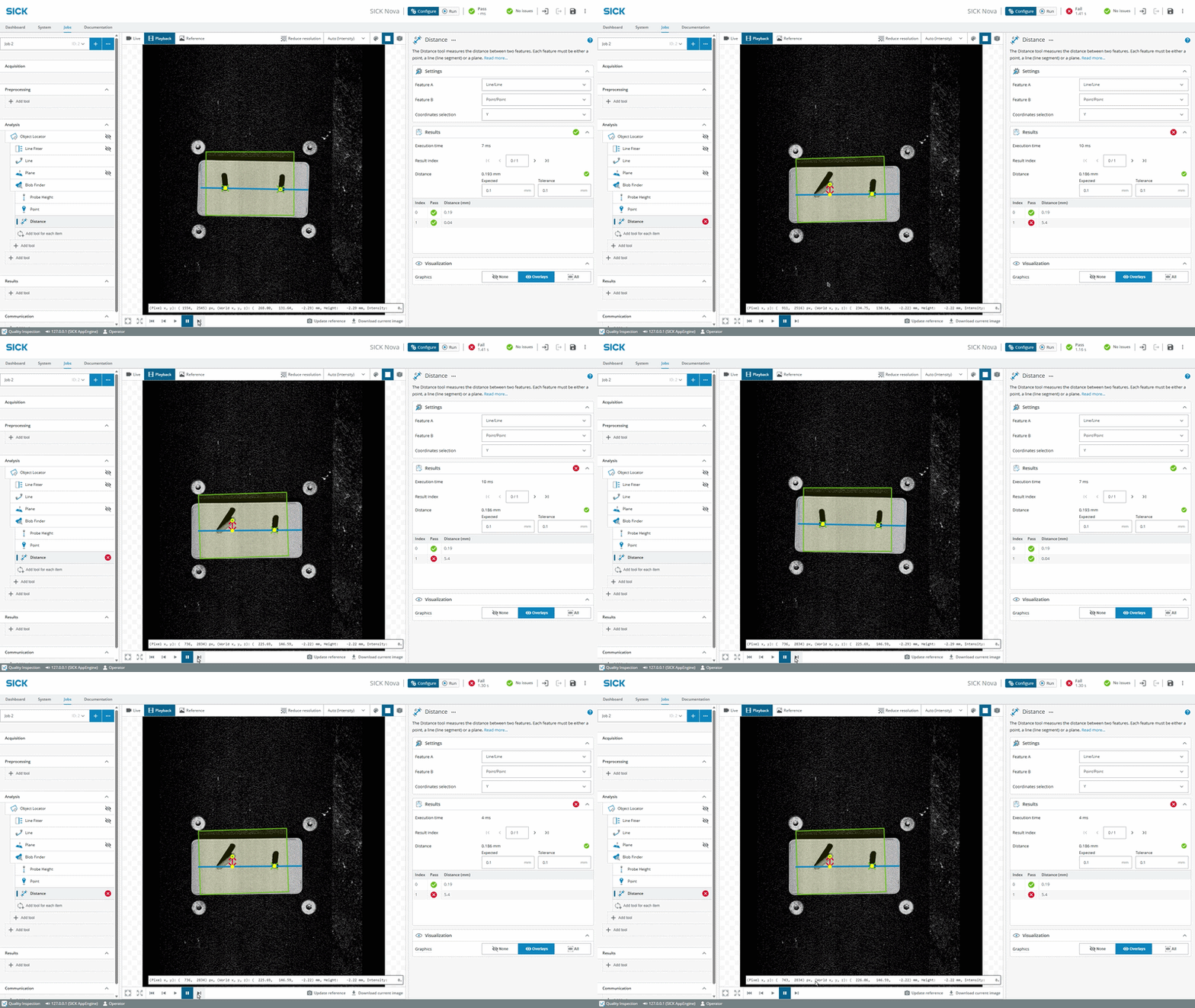
For 3D:
- Line 3D: The Line tool creates a 3D line. The output line can be created manually or by referencing other features in the image.
- Point 3D: The Point tool creates a 3D point. The output point can be created manually or by referencing other features in the image. The Line Intersection tool has been removed and is replaced by the new Point 3D tool.
- Plane: The Plane tool creates a plane. The output plane can be created manually or by referencing other features in the image.
For 2D:
- Point: The Point tool creates a point. The output point can be created manually or by referencing other features in the image. It replaces the Fixed Point tool.
- Line: The Line tool creates a line. The output line can be created manually or by referencing other features in the image. It replaces the Fixed Line tool.
→ See video of how it works here!
→ Download SICK Nova here
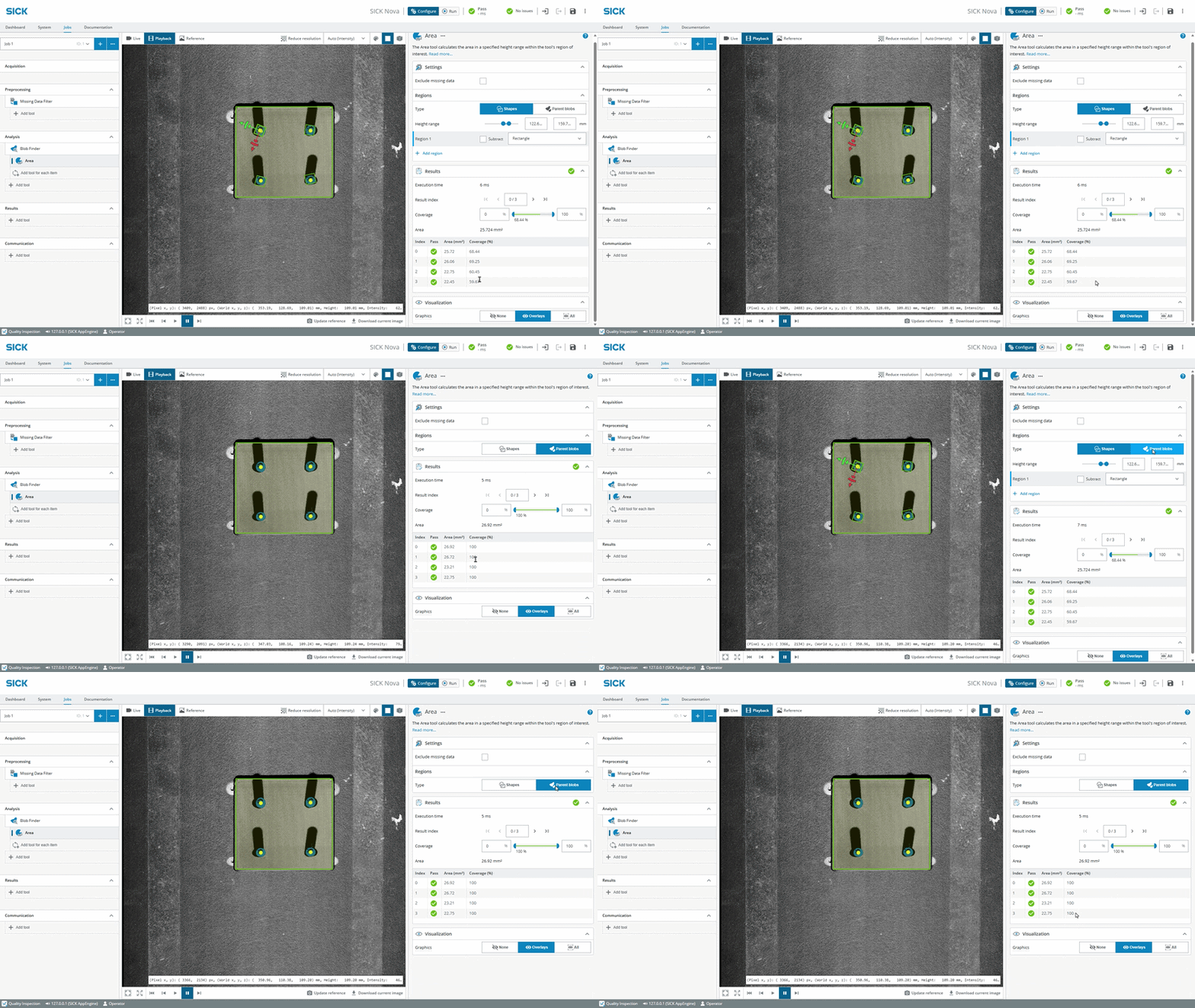
Use parent blob as tool region instead of fixed region shapes
For 3D:
- The Blob Finder, Blob Finder 2D, and AI Blob Finder (dStudio) tools output blob shapes that can now be used as a tool region in some child tools, instead of using fixed region shapes. This is supported by the Area, Min/Max, Volume, Pixel Counter, Plane Fitter, and Edge Pixel Counter tools.
For 2D:
- The Blob Finder, Blob Finder Color, and AI Blob Finder (dStudio) tools output blob shapes that can now be used as a tool region in some child tools, instead of using fixed region shapes. This is supported by the Pixel Counter, Pixel Counter Color, and Edge Pixel Counter tools.
→ See video of how it works here!
→ Download SICK Nova here
SICK Nova 2.15 - Highlights
SICK Nova version 2.15 is packed with new tools and features that will elevate the SICK Nova experience to a completely new level.
Let us introduce some of the highlights:
The SICK Nova Intelligent Inspection toolset license is for the first time available for 3D devices (2D data only in this release). Combine the power of AI-assisted tools such as AI Anomaly Detection or AI Object Detection with rule-based tools for height-data verification.
Speaking of AI, don't miss out on the AI-powered AI Blob Finder (dStudio) tool. The tool uses instance segmentation technology – to detect, count, and measure objects within a defined region using a trained neural network – and returns precise masks of each object at the pixel level and is ideal in cases where objects may overlap significantly. The release also makes it possible to filter on specific classes and adds class thresholds for width and height.
Check out the latest improvements in the AI OCR Pretrained tool like Date verification functionality, added threshold for number of read characters and support for additional characters. For Nova Ruler3000, a new tool, AI OCR Pretrained (2D) is added, supporting dot print reading.
Discover the brand new tools: For network convenience, we introduce the Network tool, which enables viewing and/or changing the settings of the Ethernet interfaces on the device. Struggling with 3D inspections of curved surfaces? Check out the new Surface Fitter tool. With the new Position Verifier tool, positions of found objects from a Finder or Object Detection tool can be stored as reference and easily compared for verification.
Last but not least, experience the latest update of the Dashboard, it now allows thresholds to be editable directly in Run-mode (with added permission functionality). A lock has also been added to the dashboard to only allow interaction of widget content in already defined widgets.
Enjoy this and much more with SICK Nova 2.15.
Read more below.
AI Blob Finder (dStudio) tool
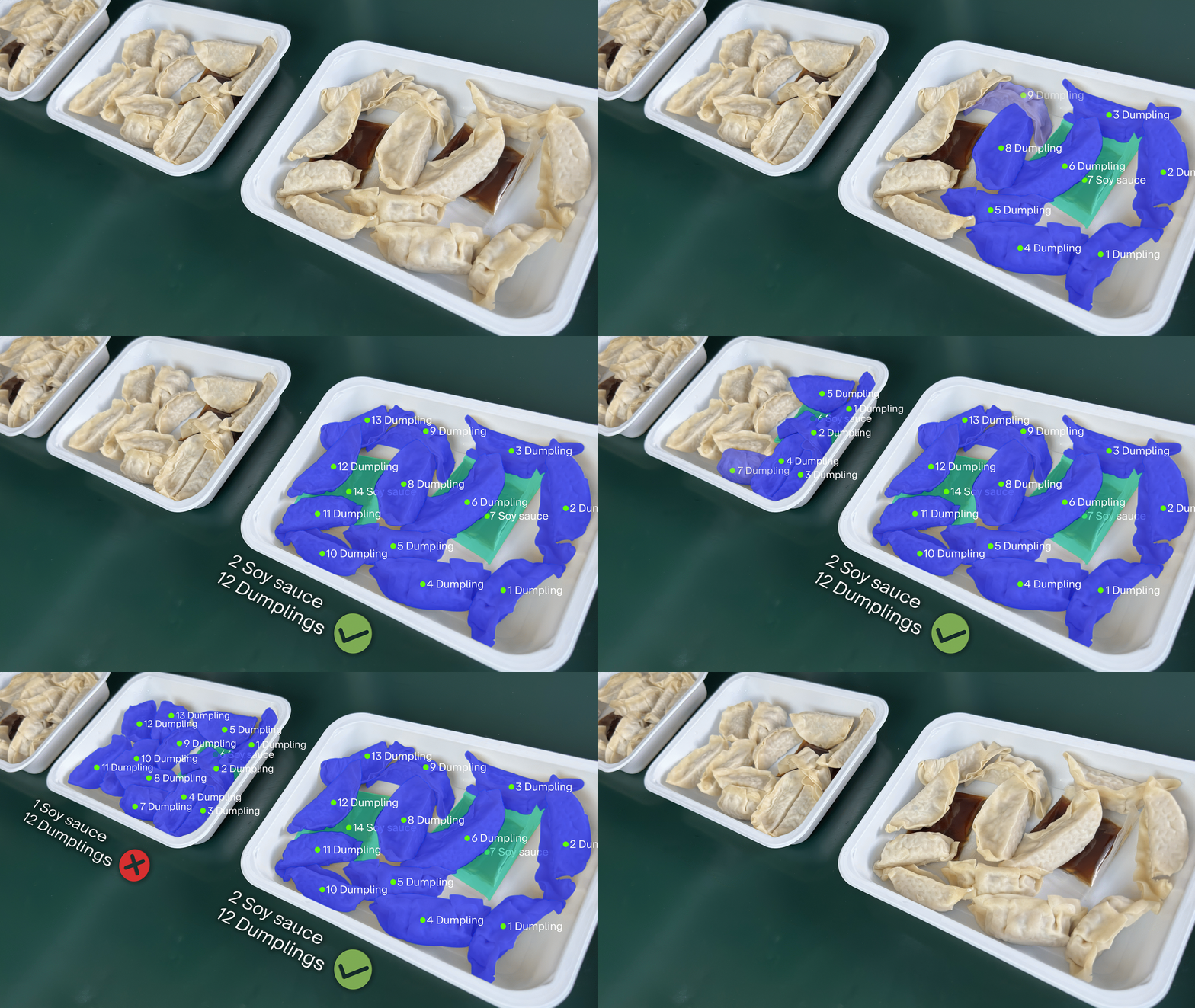
The AI Blob Finder (dStudio) uses instance segmentation technology to detect, count, and measure objects within a defined region using a trained neural network. It identifies and separates each object in an image, pixel by pixel—even when multiple objects of the same type overlap significantly—providing precise masks rather than bounding boxes.
This capability enables accurate measurement of length, width, and area, making it ideal for quality control tasks such as counting, sorting, positioning, and defect analysis. It can also deliver high-precision size data for cracks or surface flaws and determine material quantities with exceptional accuracy.
- Find and count
- Measure
- Position
→ See video of how it works here!
→ Download SICK Nova here
AI tools for 3D devices
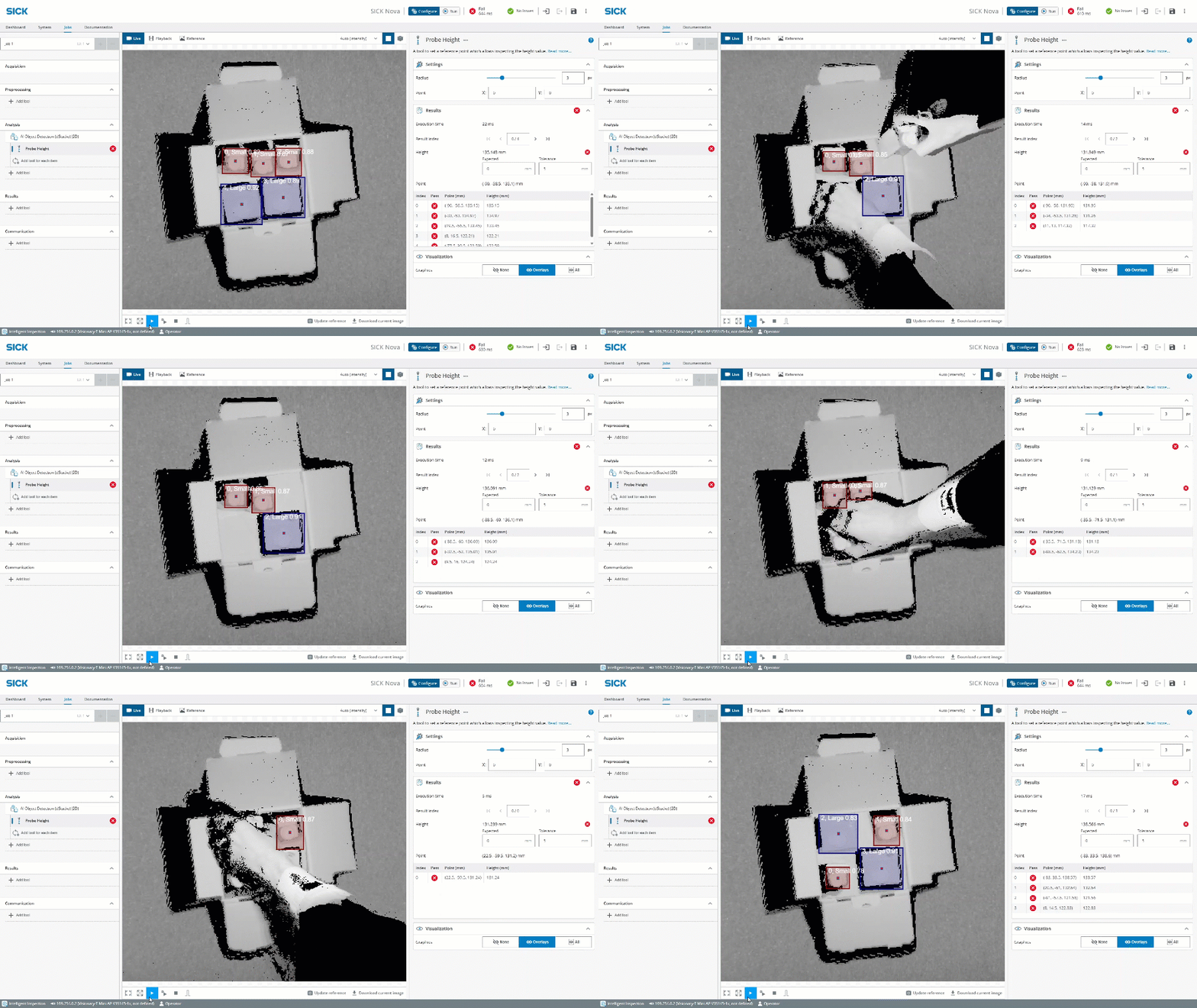
SICK Nova version 2.15 enable the Intelligent Inspection toolset license also for 3D devices – bringing powerful AI-powered anomaly detection, object classification, and object detection to SICK Nova supported 3D devices.
Combine the power of AI-assisted tools such as AI Anomaly Detection , AI Blob Finder (dStudio), AI Classification or AI Object Detection with rule-based tools for height-data verification.
- Detect anomalies
- Find and count objects
- Classify object
→ See video of AI Object Detection (dStudio) on Visionary-S here!
→ See video of AI Object Detection (dStudio) on Ruler3000 here!
→ Download SICK Nova here
Surface Fitter tool
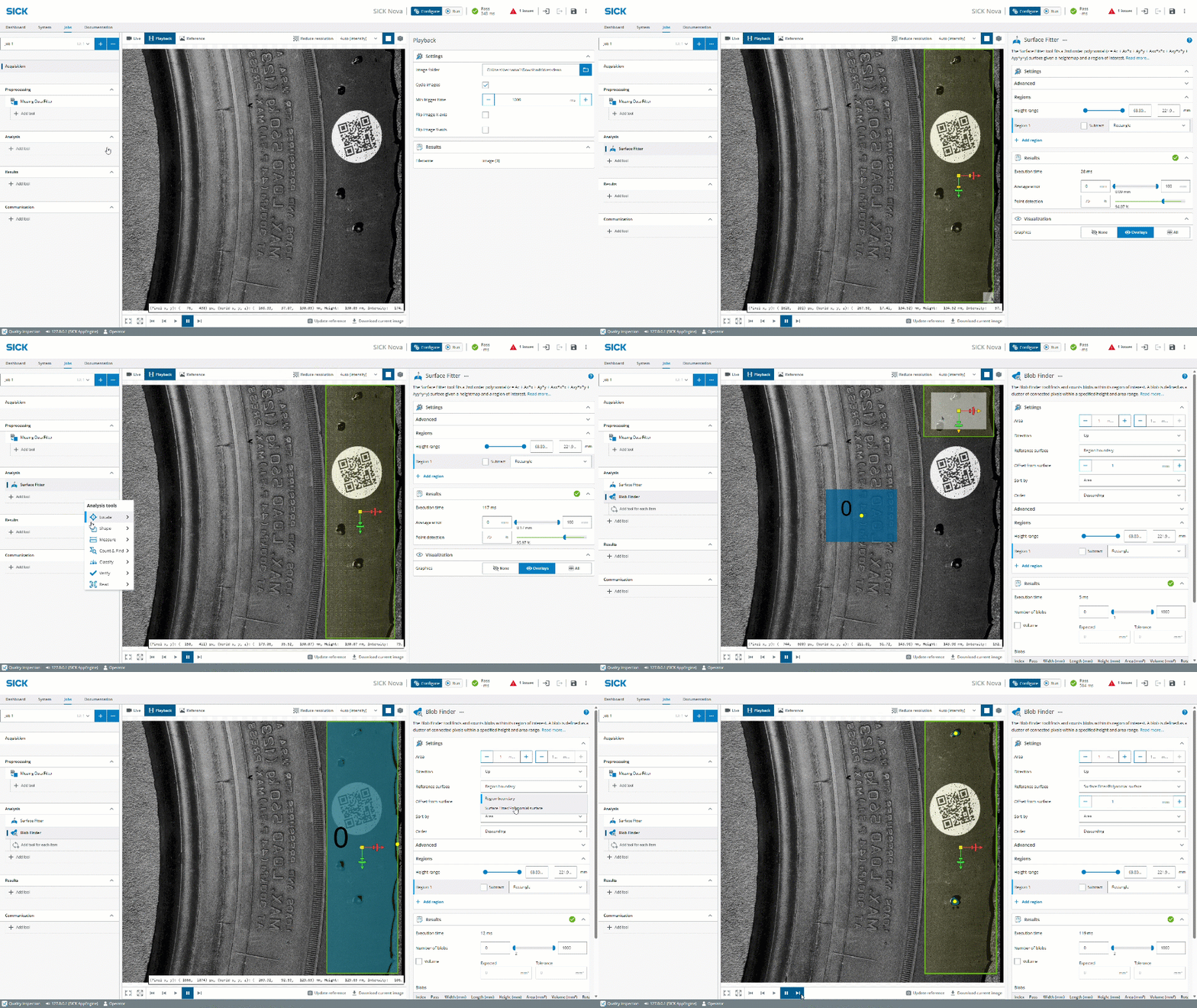
The Surface Fitter tool fits a 2nd order polynomial surface given a heightmap and a region of interest. The polynomial surface can be used as a reference for measurements in other tools.
- Currently this tool is compatible with Blob Finder tool but will be extended also to Blob Verifier and Volume tools
→ See video of how it works here!
→ Download SICK Nova here
Position Verifier tool
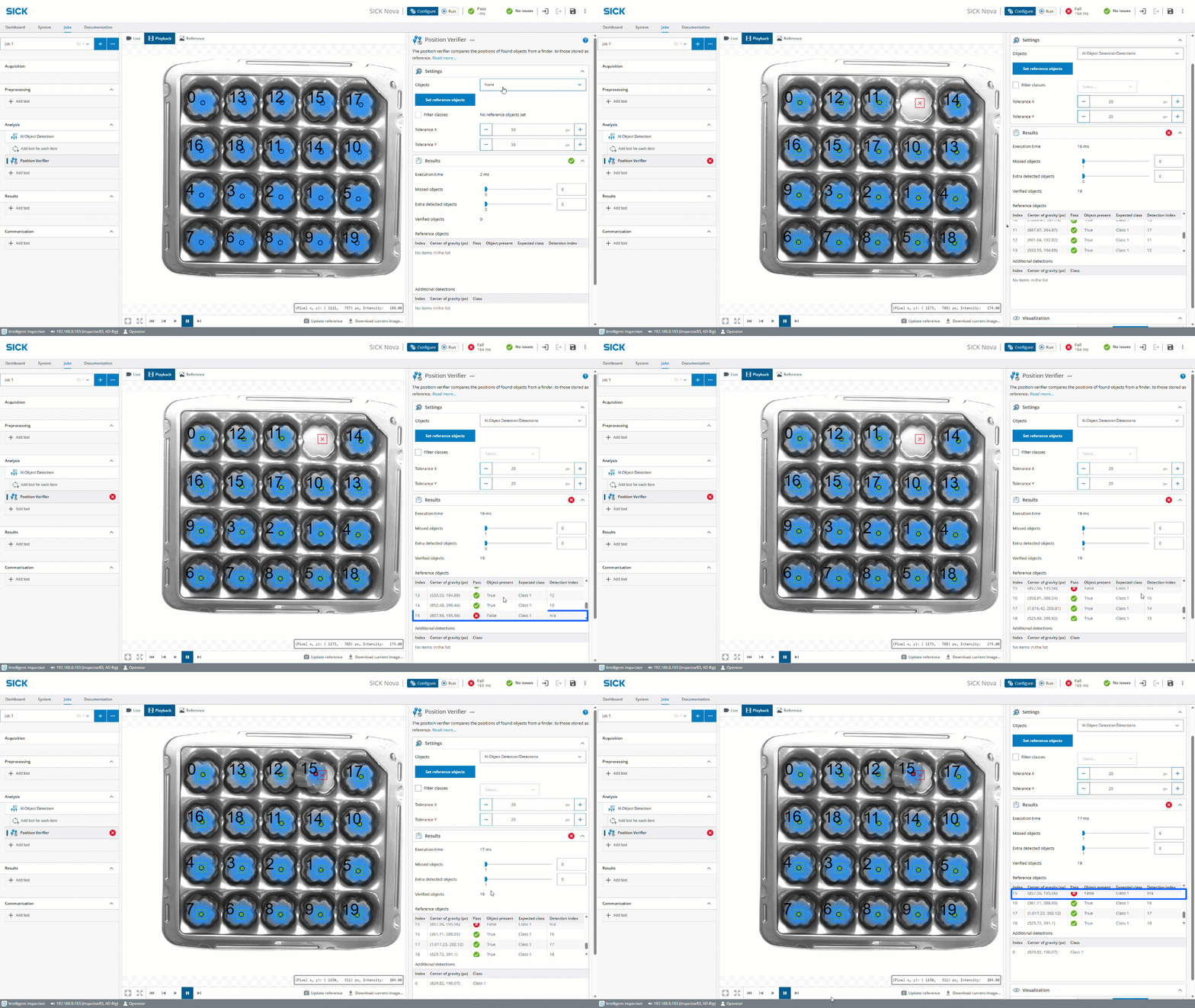
The Position Verifier tool compares the positions of a set of detected objects
against an internal reference list of expected objects. For each reference
object, the tool outputs if and where a corresponding live object was
found. A parent locator tool can provide a position reference.
→ See video of how it works here!
→ Download SICK Nova here
Dashboard improvements
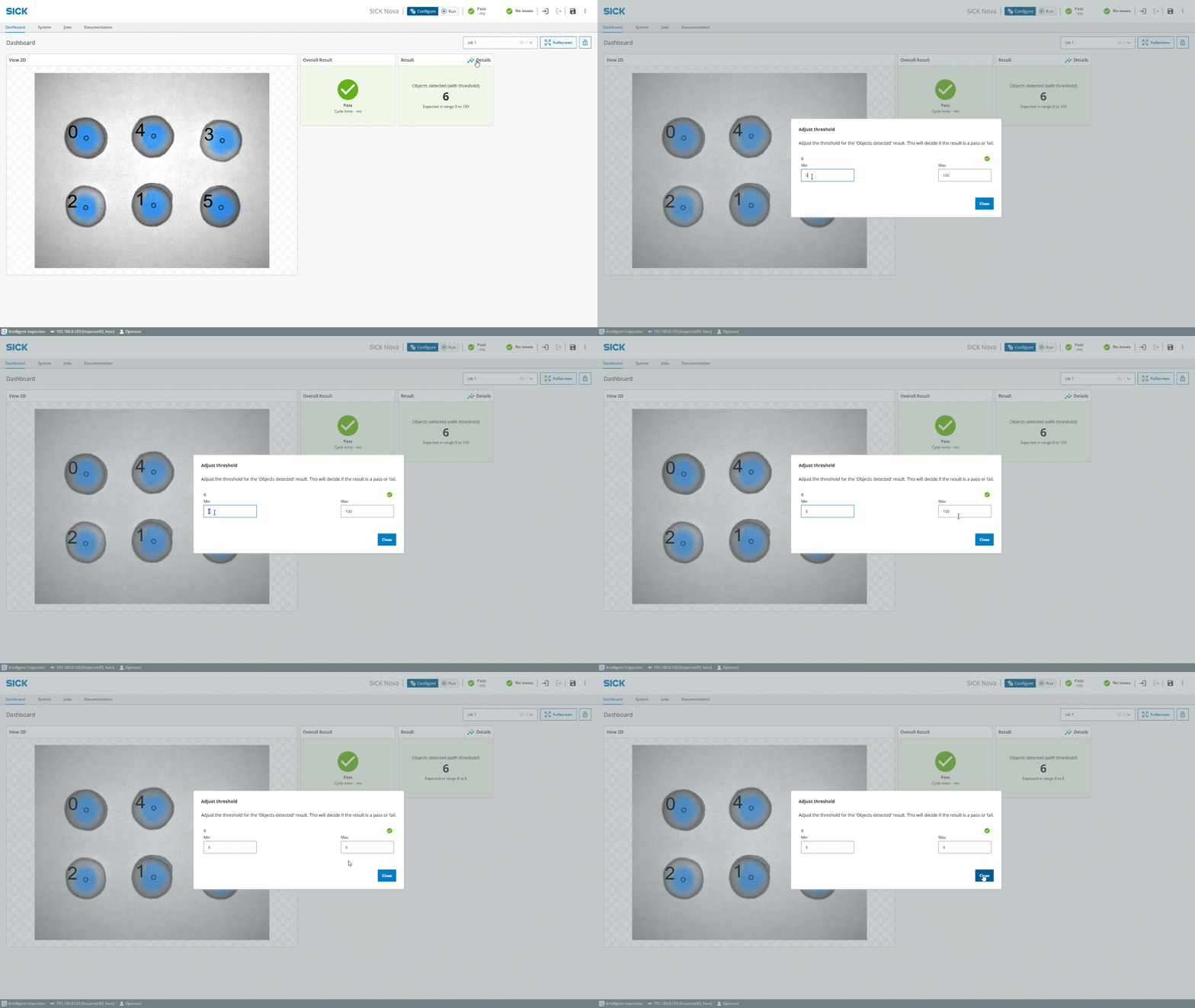
Experience the latest update of the Dashboard, now allowing thresholds to be editable directly in Run-mode (with added permission functionality). A lock has also been added to the dashboard to only allow interaction of widget content in already defined widgets.
→ See video of how it works here!
→ Download SICK Nova here
AI OCR Pretrained update
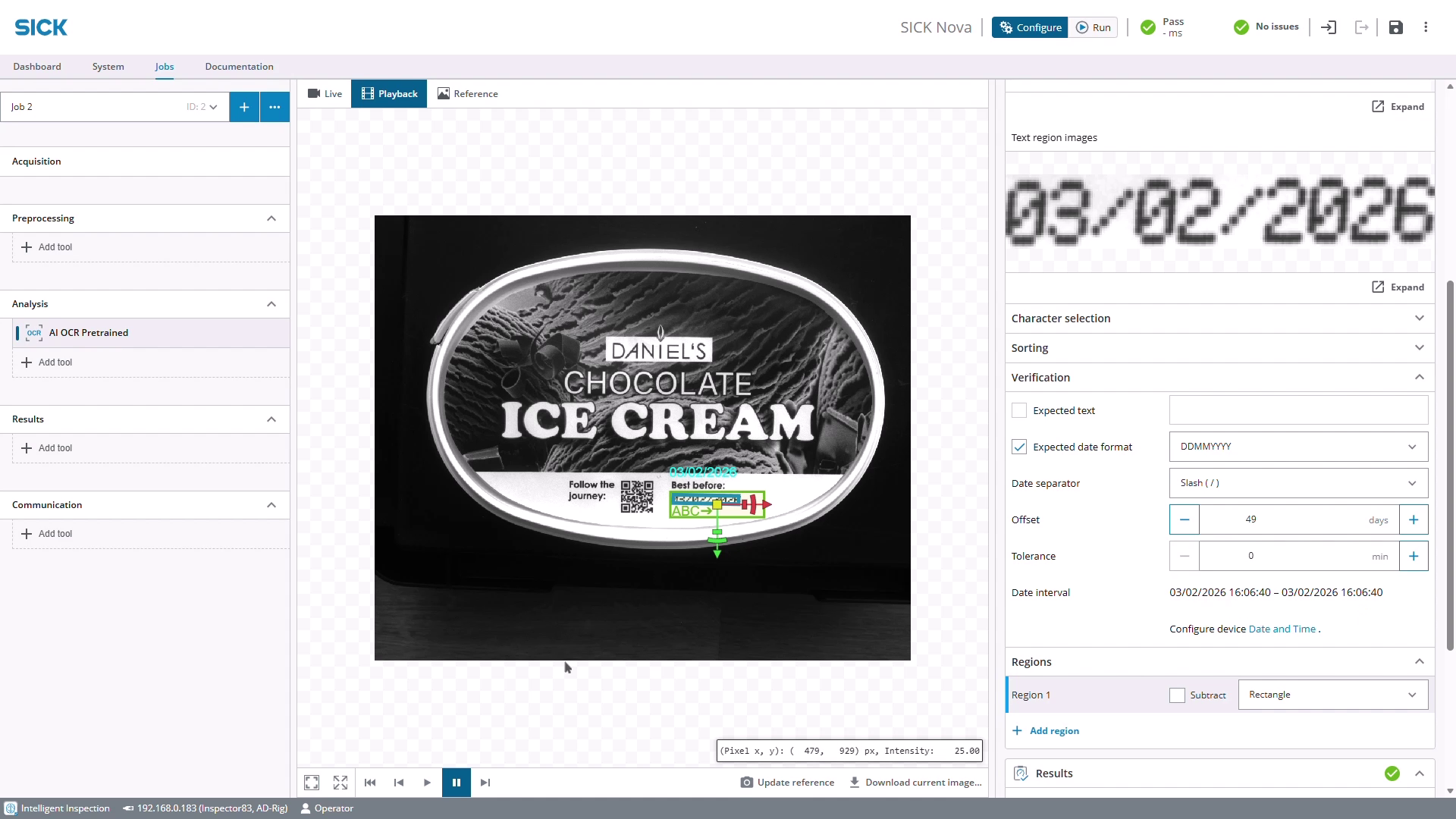
The 2.15 version of the AI OCR Pretrained tool enable functionality like Date verification, added threshold for number of read characters and support for additional characters.
The AI OCR Pretrained 2D tool for Nova Ruler3000 finds and reads text in the intensity or scatter image. This tool should be used instead of the 3D tool if the text is printed on the object without being embossed or engraved.
By combining 3D tools, 2D AI tools and the AI OCR Pretrained (2D) in the same job, 3 individual inspections tasks are solved instantly.
→ See video of how it works here!
→ Download SICK Nova here
SICK Nova 2.14 - Highlights
SICK Nova 2.14 comes with lots of new features and improvements that truly makes machine vision easy to use.
With added support for SICK Ranger3, now also our most flexible high-end 3D camera can benefit of all advantages that SICK Nova brings. Got questions? With the new Documentation tab, help and documentation with how-to-do guides, images and video snippets* are embedded directly in the user-interface. And that's not the only thing that has become smarter; discover the clever annotation assistant and parameter tuning function in the AI Object Detection tool.
With the Text Overlay tool it's now super easy to add any wanted text as overlay graphics when saving images. And for those using multiple jobs, the Dashboard now supports job specific dashboards. To keep up with security demands, the 2.14 version of SICK Nova brings HTTPS protocol when using the Inspector 2D vision sensors. While talking about 2D, discover the new tool Feature Locator 2D that uses shape features from other tools to calculate transforms for its child tools.
This and much, much more is now available with SICK Nova 2.14.
Read more below!
Ranger3 support
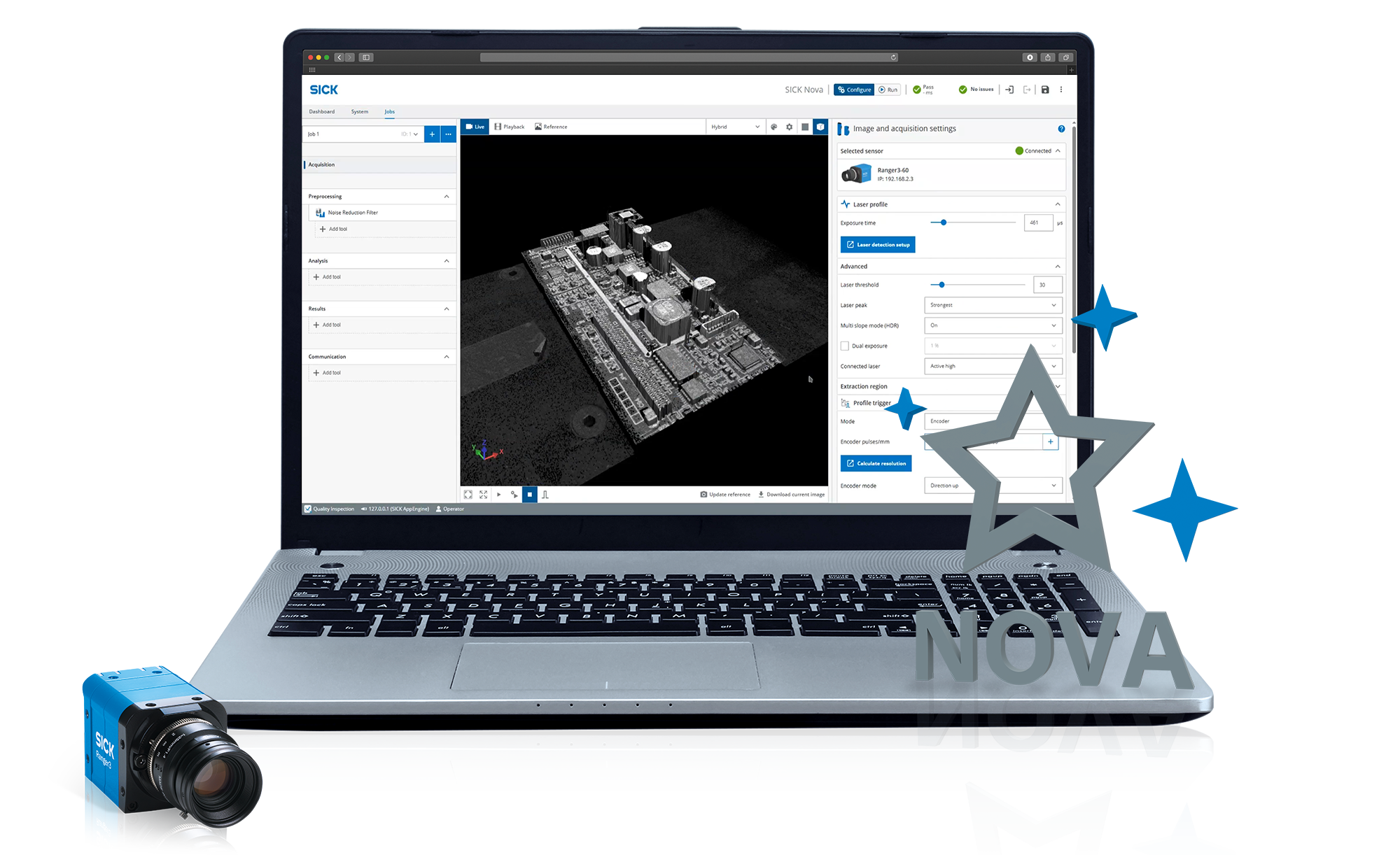
SICK Nova now supports the standard SICK Ranger3 3D cameras (no “special devices” or color supported) when connected to SIM2x00 or using IPC.
For convenience the Nova Ruler3000 and Nova Ruler3000 IPC SensorApps are used and the pre-defined SIM2500 Nova Ruler3000 QI or the Nova Ruler3000 IPC Bundle License works well together with the Ranger3.
- Ranger3 camera needs to be calibrated first in Stream Setup
- All FoV supported
SICK Nova Documentation
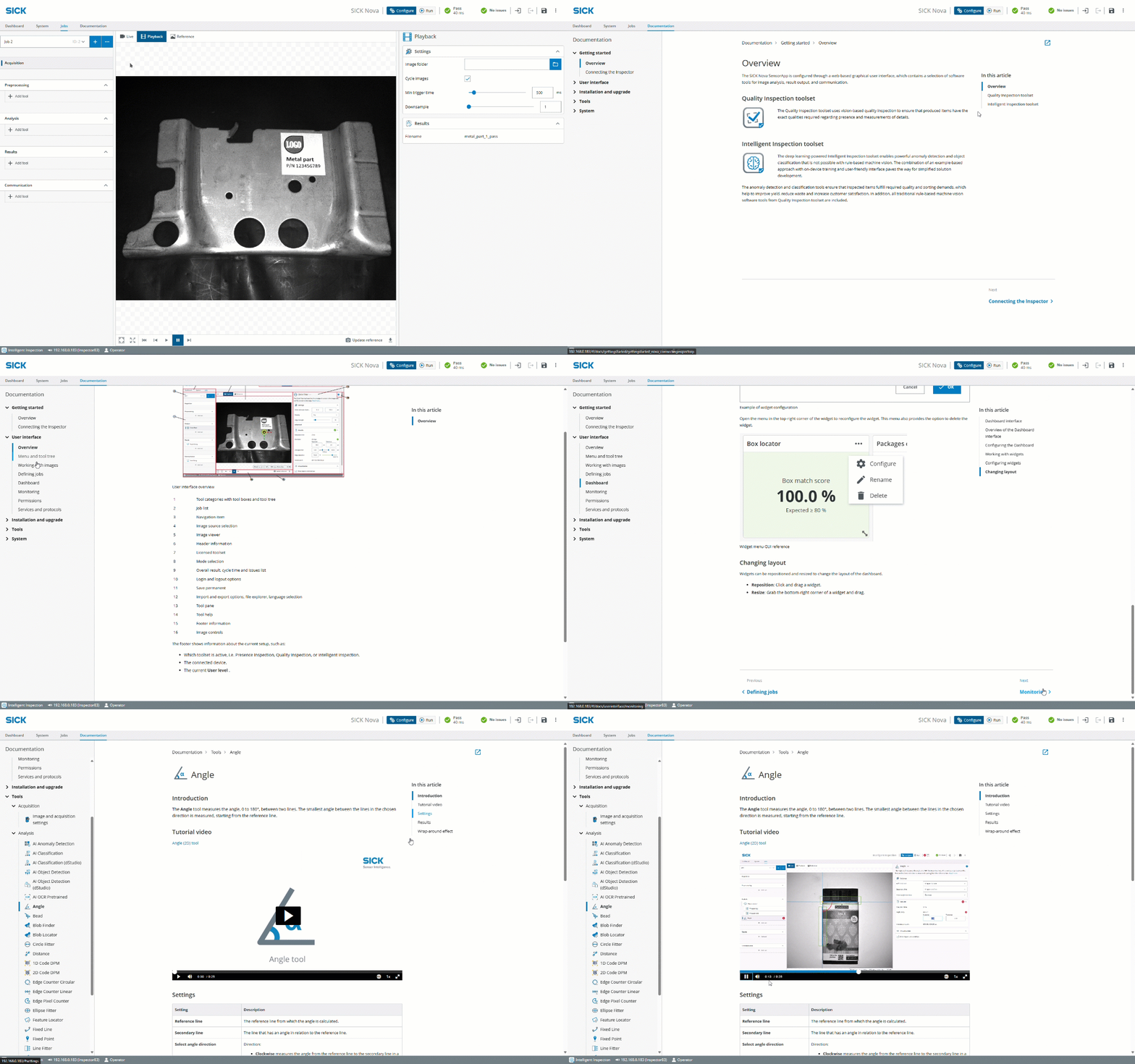
With the Documentation tab, an improved documentation and help system is embedded directly in the user-interface.
Here you'll find help and information of how to quickly get started, working with the user interface, in-depth information about the tools with images and video snippets* examples etc.
- Convenient accessibility of help and documentation: Getting started, User interface, Installation and Upgrade, Tools, System
- Video snippets of tools (more videos will be added in future releases)
* Video playback requires internet connection
Text Overlay tool
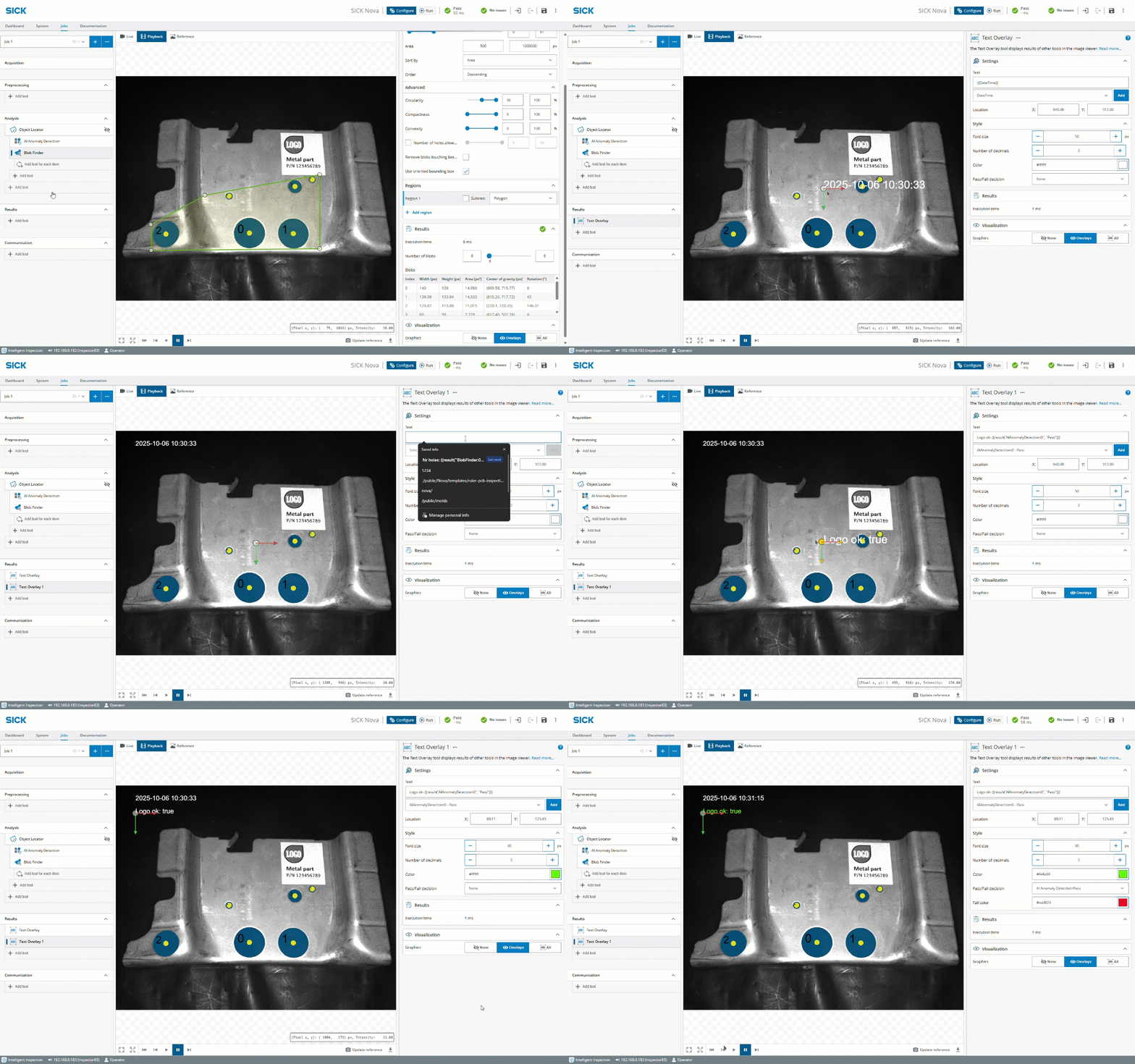
The Text Overlay tool displays results of other tools in the image viewer.
The text can be included when saving 2D images with graphics in the Image Collection tool.
→ See video of how it works here!
Annotation assistant - For the AI Object Detection tool

The annotation assistant in the AI Object Detection tool makes the annotation process easier than ever.
When annotating images in the AI Object Detection tool it is now possible to get suggestions for points that are not yet annotated. This significantly speeds up annotation when working with images that have a lot of objects.
→ Download Nova Inspector SensorApp
→ Download Nova pico/midiCam2 SensorApp
Parameter tuning - For the AI Object Detection tool
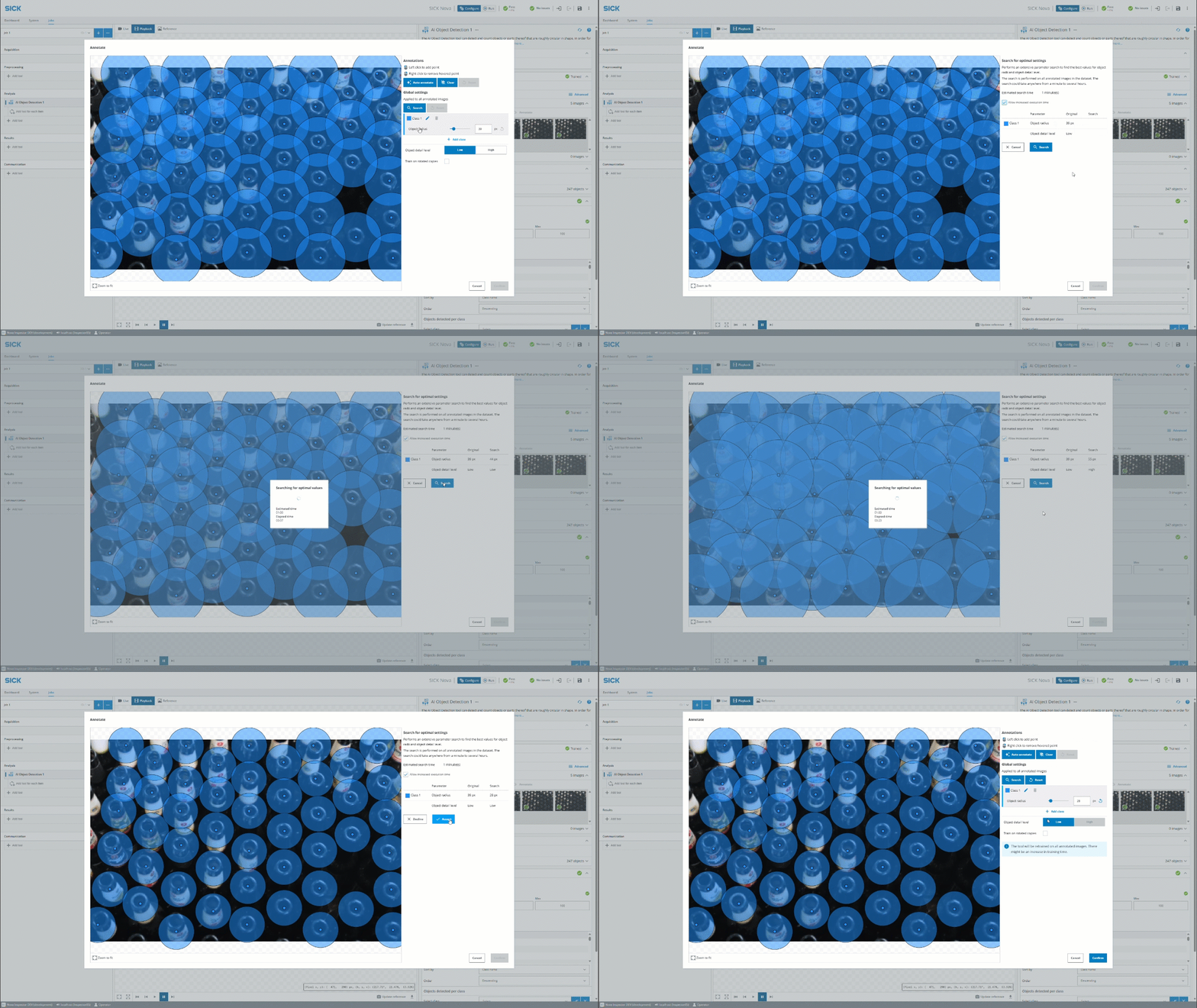
The new parameter tuning feature enables automatic search for optimal annotation settings in the AI Object Detection tool.
When annotating images in the AI Object Detection tool it is now possible to run a search to find the best settings for the dataset. It can both try to find settings that yield higher accuracy as well as settings that make the tool run faster.
→ Download Nova Inspector SensorApp
→ Download Nova pico/midiCam2 SensorApp
Feature Locator 2D tool – Available for 2D and 3D devices
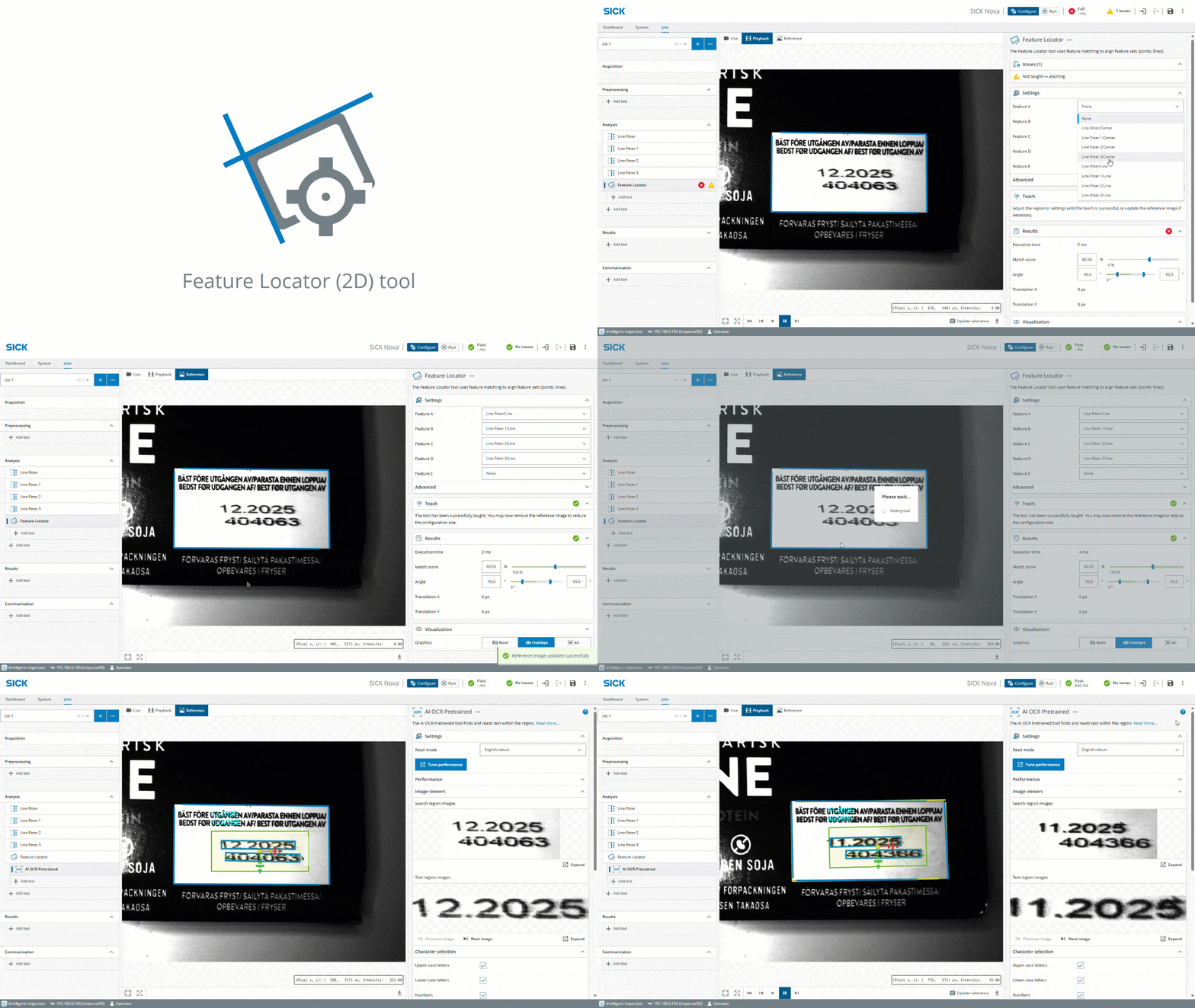
The added 2D version of the Feature Locator tool uses shape features (points, lines) from other tools to calculate transforms for its child tools.
→ Download Nova Inspector SensorApp
→ Download Nova pico/midiCam2 SensorApp
→ Download Nova Ruler3000 SensorApp
→ Download Nova Ruler3000 IPC SensorApp
→ Download Nova LMS4000 SensorApp
Additional clever features added
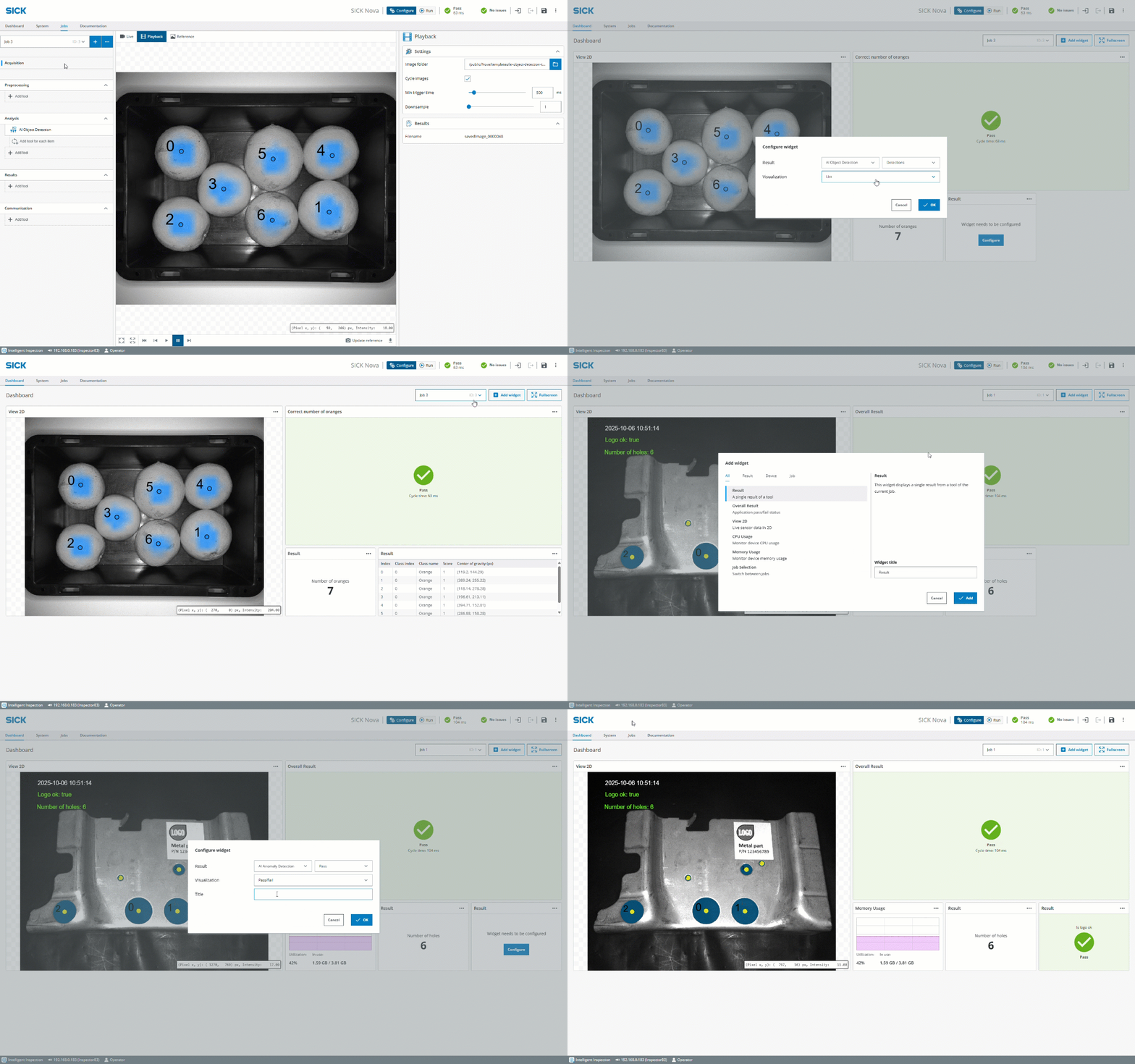
Job specific Dashboard
Every job will now have a separate dashboard that can be configured with widgets that match the job. When duplicating a job, the dashboard will be copied as well.
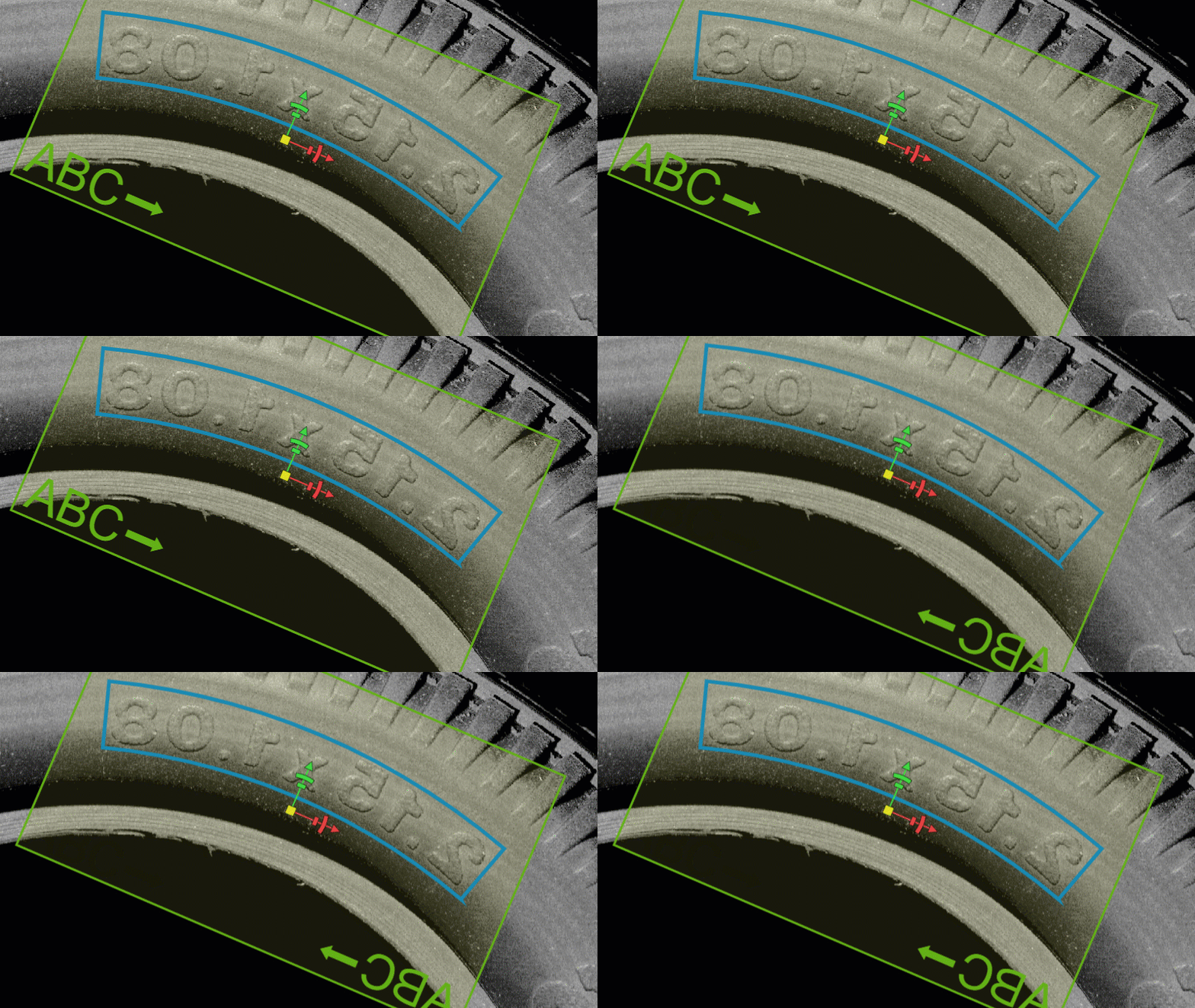
AI OCR Pretrained – Improvements
A number of improvements have been made to the AI OCR Pretrained tools.
It is now possible to disable reading spaces. Found text regions can be filtered based on the character size. Text regions containing single characters can now be found in the search step (previously single characters could only be read if search was disabled). The tools can now find smaller text regions than before.
And last but not least, in 3D you sometimes need to mirror the image when using the AI OCR Pretrained tool to be able to read the text, due to scan direction. Also the OCR region needs to be aligned in a certain direction to read the text robustly. Now the AI OCR Pretrained tool contains region marker indicating how the region should be rotated to be correctly aligned with the text, that makes the usage more simple!
Full-screen viewer page
The URL http://<ip>/#/viewer?hideShell=true&viewerMode=2D can be used to access a full-screen 2D viewer page (viewerMode can be changed to 3D in a 3D product).
For more information about supported query parameters, see the "Nova UI API" section in the Nova API documentation.
SICK Nova 2.13 - Highlights
And that's not even the biggest news, the AI OCR Pretrained tool now also runs on Ruler3000, finally enabling OCR for 3D.
Talking about 3D, why not also check out the brand new 3D tools Volume, Feature Locator and Blob Analyzer.
On the 2D side, SICK Nova 2.13 allows calibrated images also for AI tools - enabling countless new possibilities with millimeter precision.
Another addition in the Image Collection tool is the possibility to save images with overlay graphics!
Enjoy this and much, much more with SICK Nova 2.13.
Read more below!
AI OCR Pretrained - Now with dot print capabilities
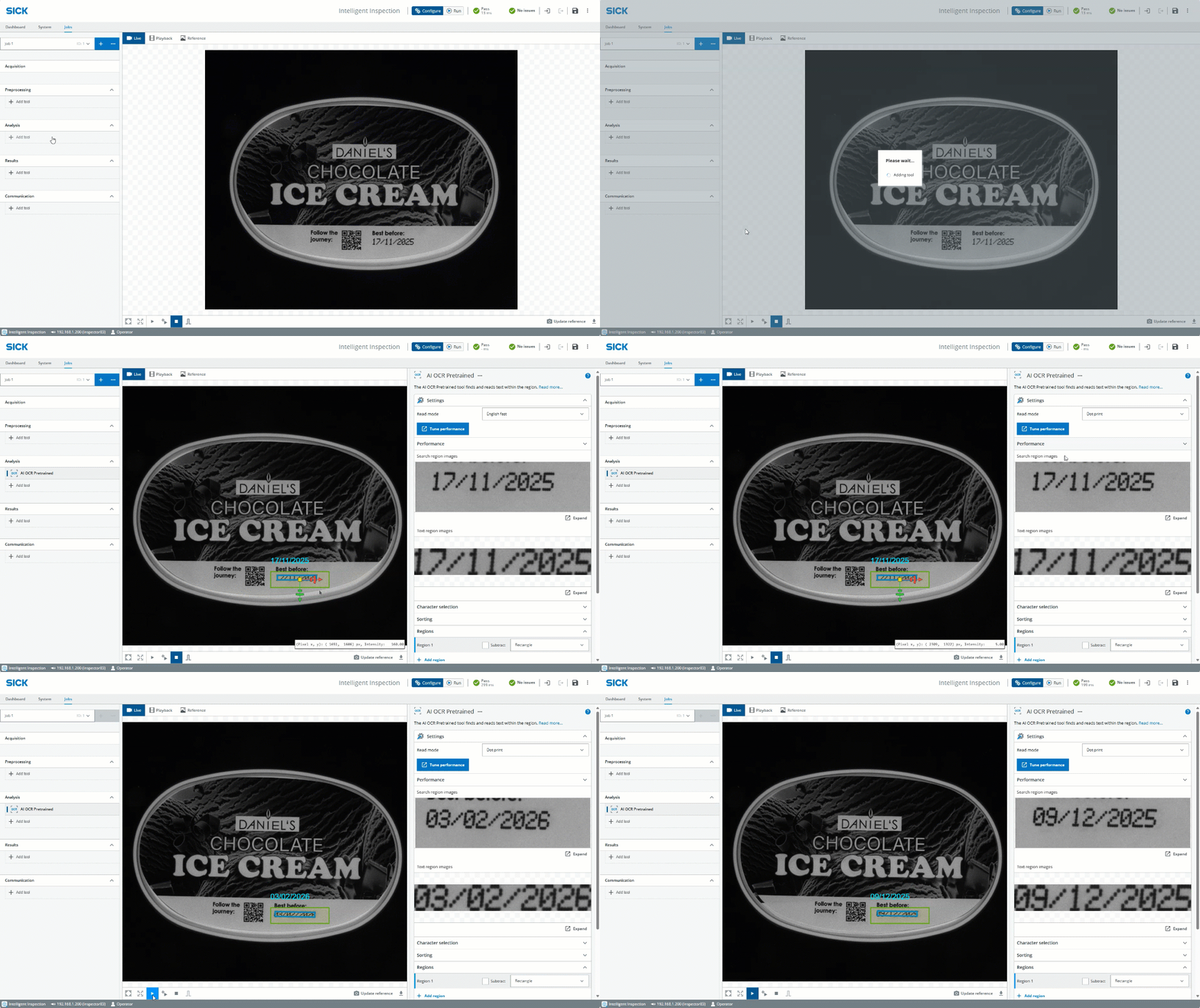
With the SICK Nova 2.13 version of the AI OCR Pretrained tool, dot print reading support is added - just as easy as if it was standard characters.
This version also adds:
→ "Tune performance” button to automatically set downsample parameters
→ Support for Multiple Regions (including negative Regions)
Released in SICK Nova 2.12, the AI OCR Pretrained tool enables instant reading without training and is the first AI-tool to be introduced into the Quality Inspection toolset, - which marks a shift for our rule-based portfolio where also rule-based tools can be AI-powered.
AI OCR Pretrained - OCR goes 3D
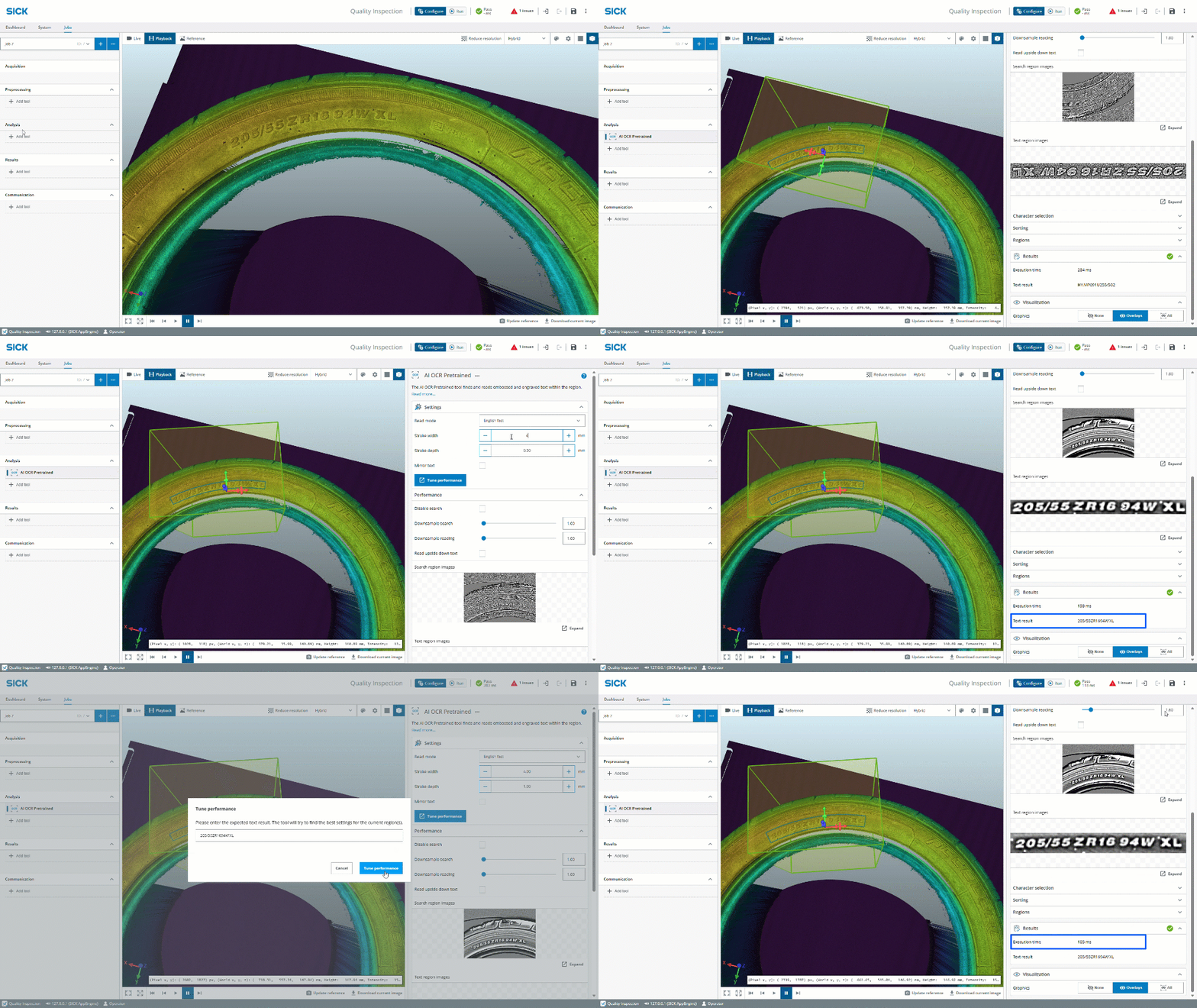
The AI OCR Pretrained tool available in the Quality Inspection license for the Nova Ruler3000 SensorApp enables 3D OCR. The tool reads engraved or embossed text within the region. The height image within the tool region is processed into an intensity image where details with a height that varies from the surrounding area are clearly visible. In this image, the tool finds and reads the text.
Volume tool - For 3D
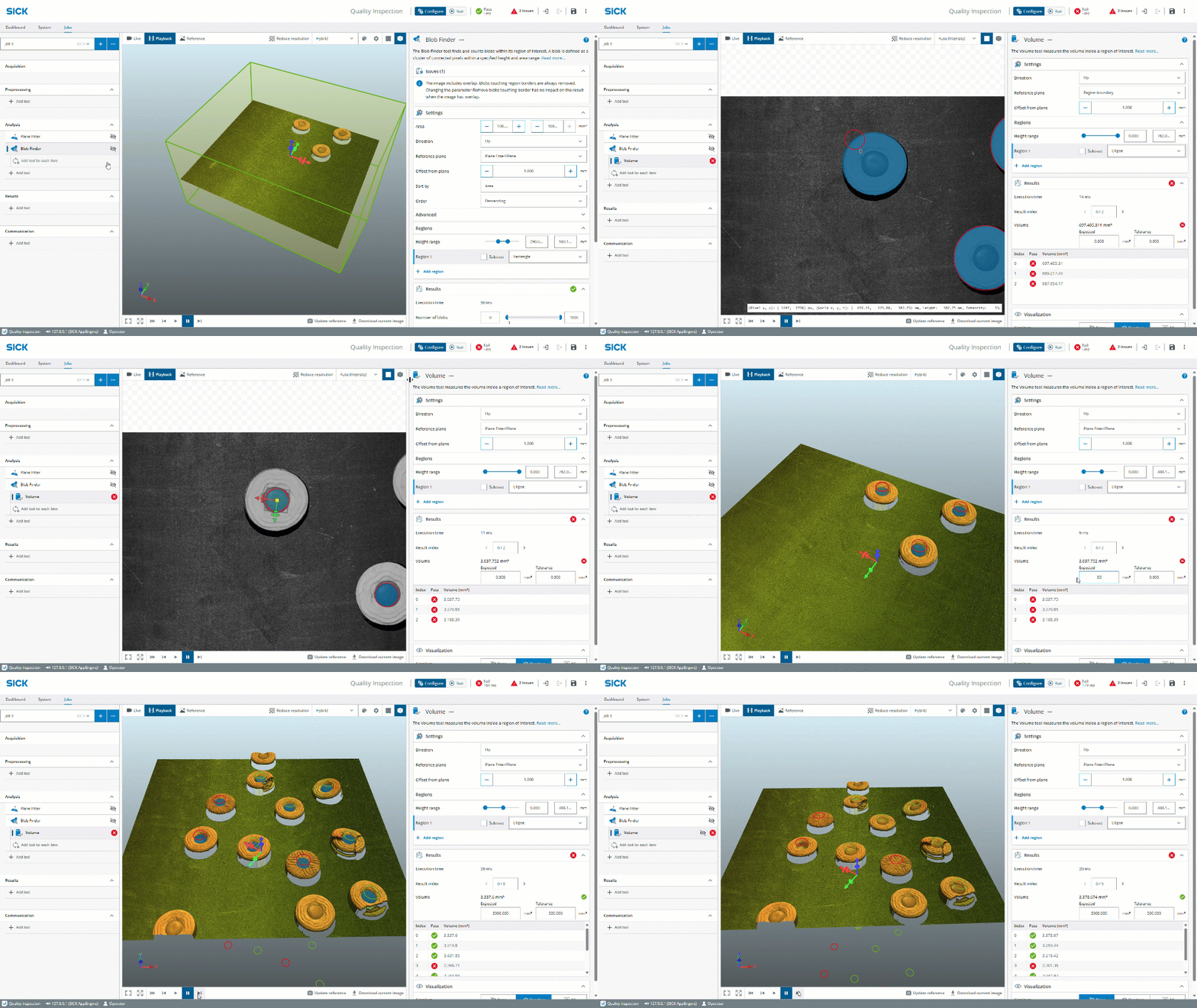
The Volume tool measures the volume inside a region of interest, either globally in the image or as a for-each tool as in the video.
Feature Locator tool - For 3D
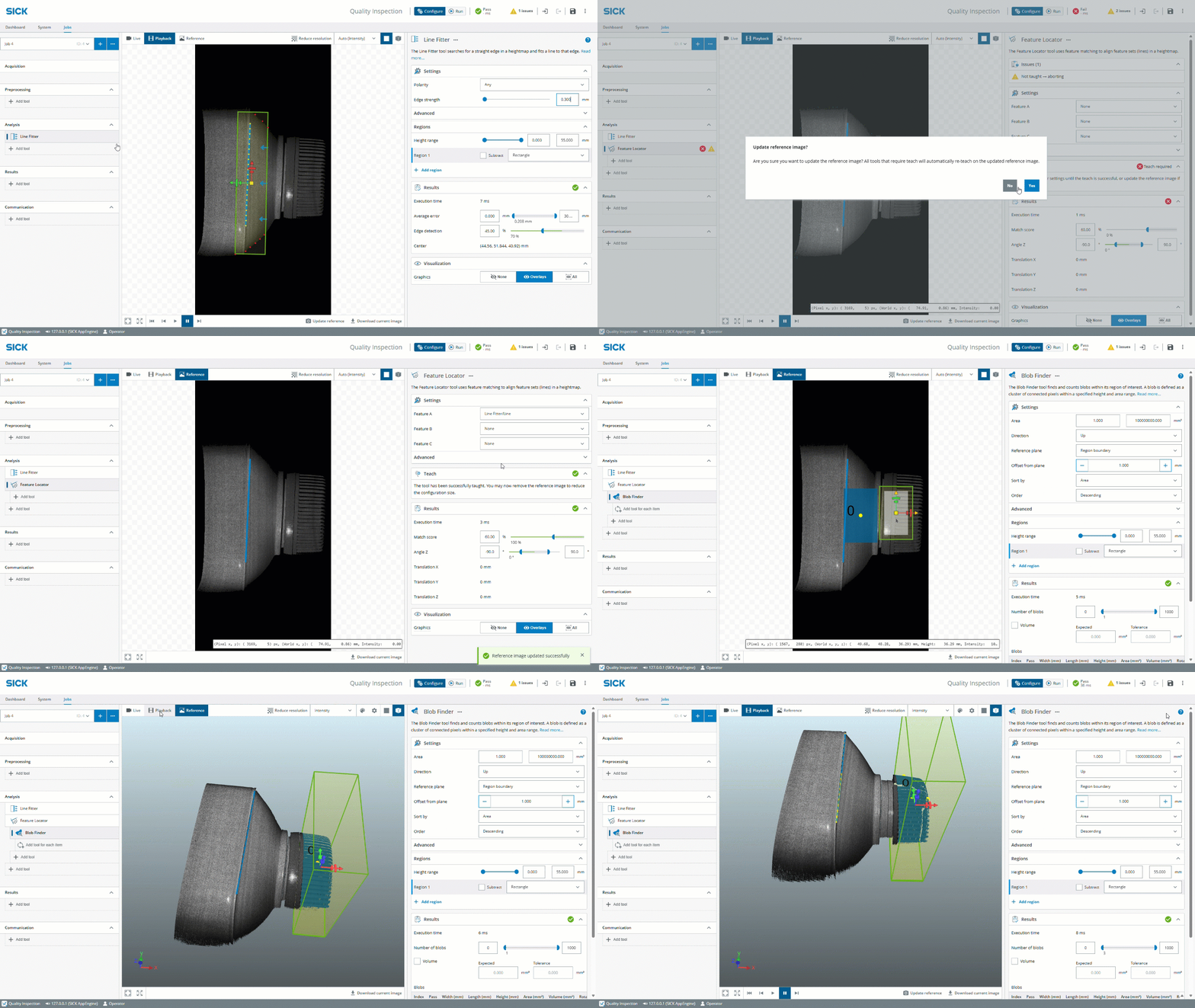
The Feature Locator tool uses feature matching to align feature sets (lines) in a heightmap.
Use the tool Feature Locator when the position or rotation of an object varies, to move attached tools for inspection correspondingly.
Blob Analyzer tool - For 3D
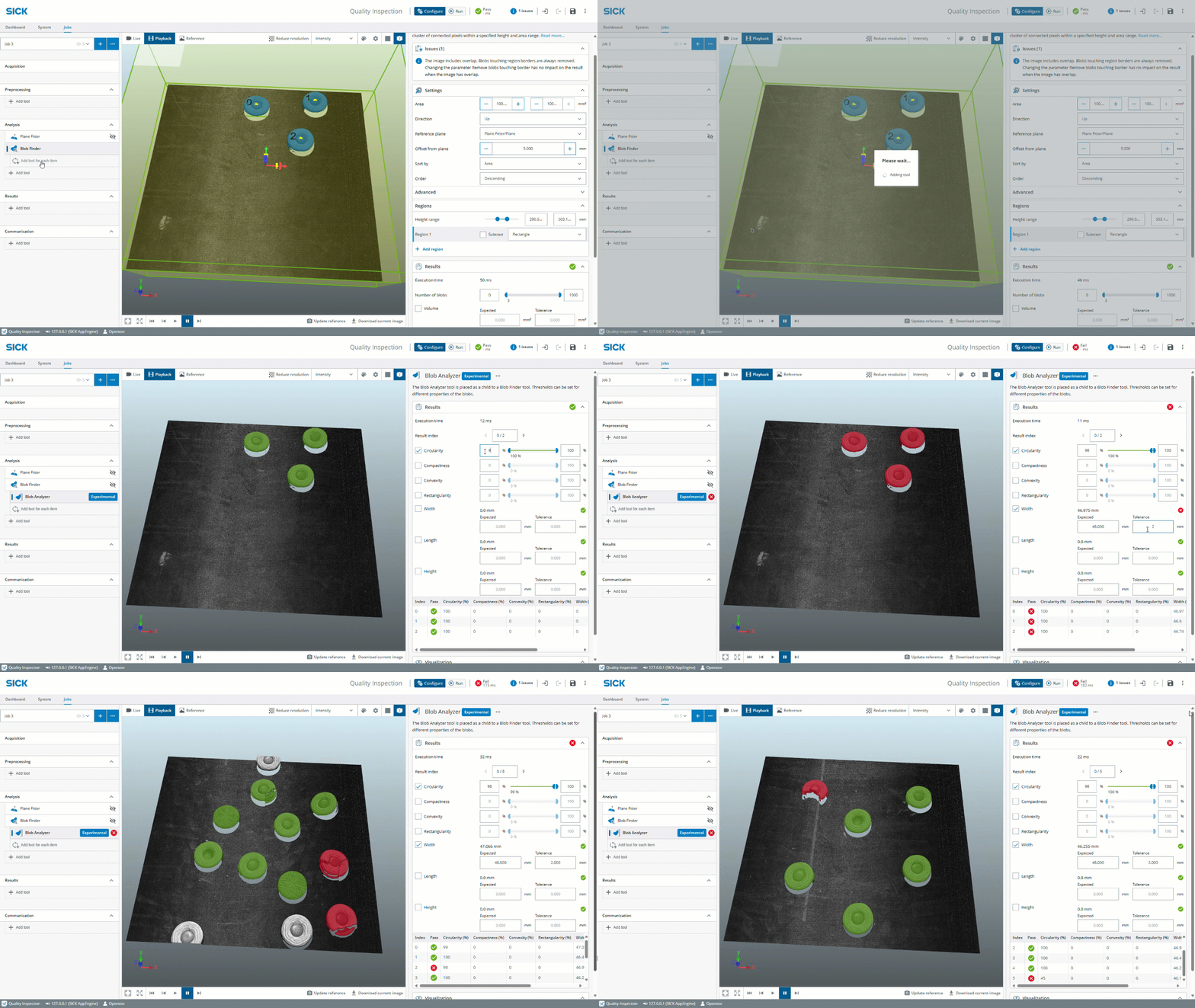
The Blob Analyzer tool is placed as a child to a Blob Finder tool. Thresholds can be set for different properties of the blobs. The tool is marked as Experimental to indicate that it could be changed or removed in upcoming releases.
Save images with overlay graphics in Image Collection tool
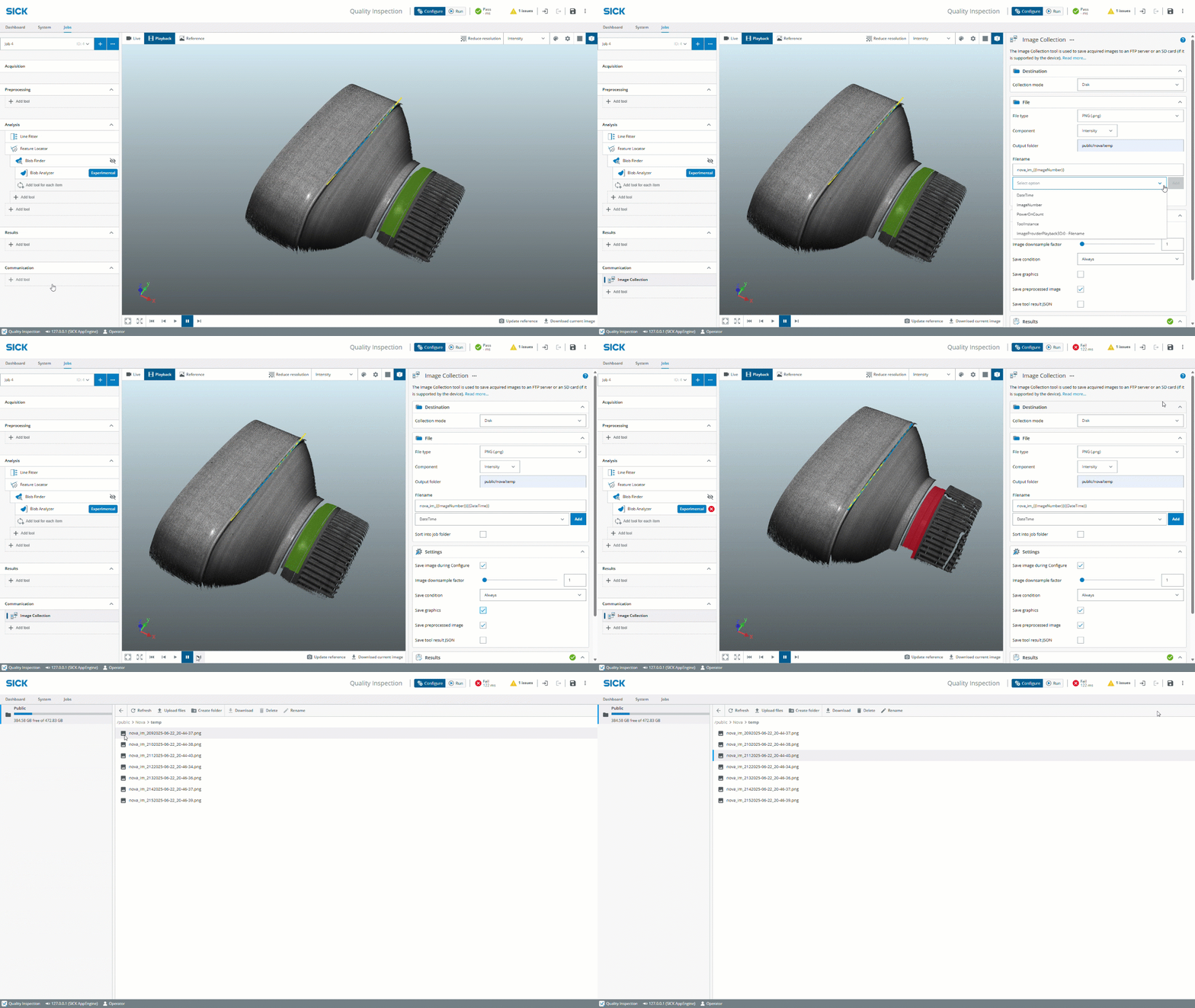
When saving BMP or PNG images in the Image Collection tool it is possible to enable to save images with overlay graphics. Such images are only intended for viewing and should not be used for playback.
SICK Nova 2.12 - Highlights
Experience a boost in visualization and navigation while discovering all the new features like the new AI OCR Pretrained tool, for-each functionality, on-device multi-class object detection, more job templates to choose from, a date and time tool, timestamp in filename, save state expander, possibilities for duplicate of tool regions and much, much more…
Read more below!
AI Object Detection Multi-class

The AI Objection Detection tool available in the SICK Nova Intelligent Inspection license is used to find, count and localize – all at once, using the same tool. This standardized functionality makes it ideal for applications such as completeness checks. It ensures that the objects are in the correct position and are present in the proper amount and without any defects before the production or packaging process continues. Furthermore, it is the go-to solution when the number of objects in an image can vary, or when they may overlap.
The AI Object Detection tool also supports on-device Multi-class object detection, allowing for even more applications to be solved with ease simply by teaching the vision sensor multiple object classes within a few images.
The AI Object Detection (dStudio) tool supports training using the SICK dStudio service and is used to detect (i.e. find) objects in acquired images. The resulting objects are found as bounding boxes which are characterized by their class, size and position.
Next generation OCR - AI OCR Pretrained
With the first version of the new AI OCR Pretrained tool, reading text with SICK Nova has never been easier. This AI-powered tool enables instant reading without training and is the first AI-tool to be introduced into the Quality Inspection toolset, - which marks a shift for our rule-based portfolio where also rule-based tools can be AI-powered.
For-Each functionality
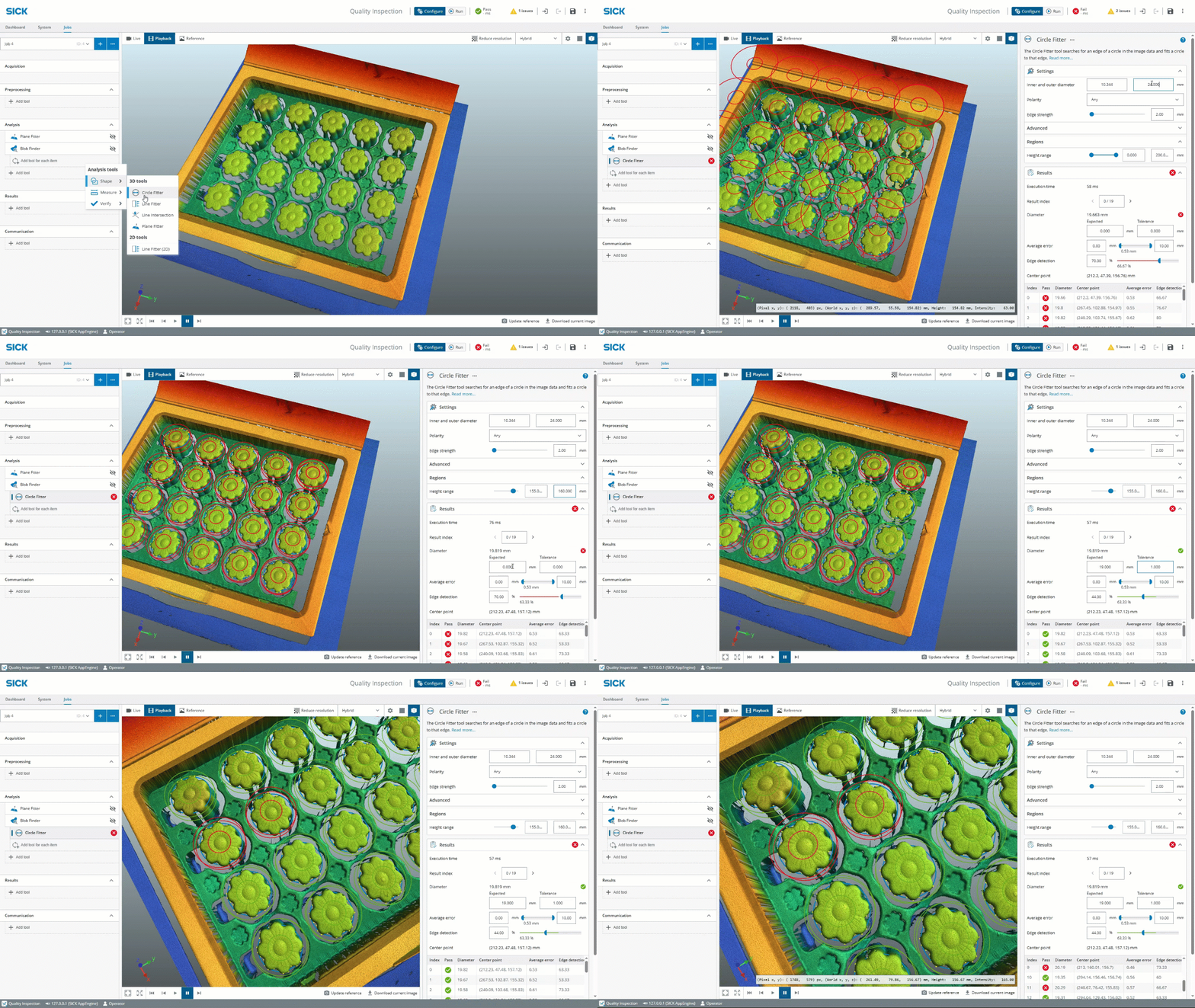
With the For-Each functionality, parent tools such as Blob Finder, Blob Finder Color, AI Object Detection, and AI Object Detection (dStudio) can easily be equipped with child tools, enabling in-depth inspection capabilities for each object within the inspection scene. Child tools will run relative to every found blob/object and produce a list result.
See video of how it works here!
Get started directly with Job templates
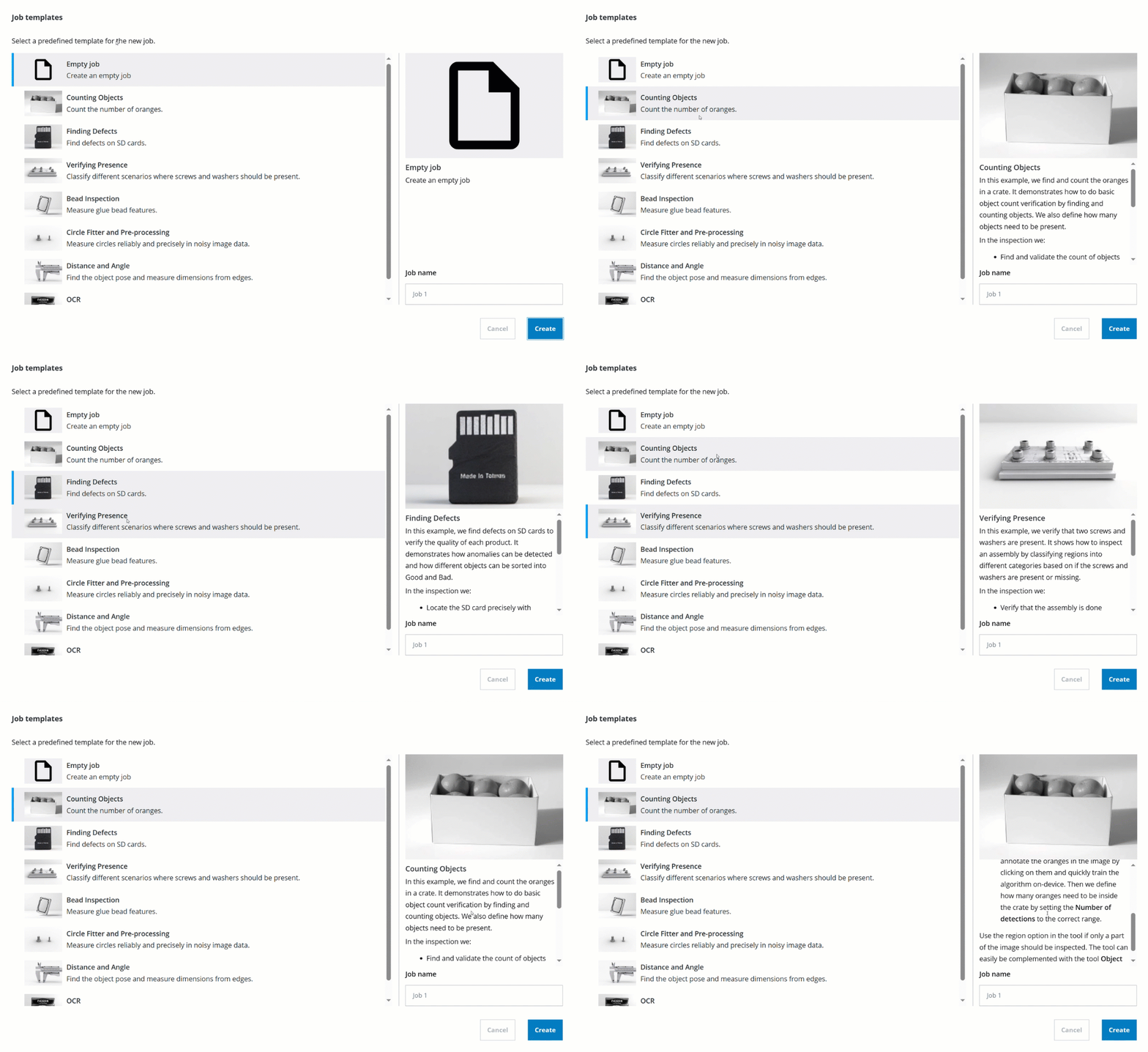
When creating a new job, a dialog will be shown where it is possible to select between different templates. When selecting a template, a number of pre-configured tools will be added to the new job. Images matching that job will be used in playback mode.
Since the SICK Nova 2.12 release, Job templates are now also available for the AI Anomaly Detection, AI Classification, and AI Object Detection tools. The OCR template has been updated to use the new AI OCR Pretrained tool.
Additional clever features added

Edge Counter Linear tool for Nova Inspector
The tool Edge Counter Linear locates multiple edges within a rectangular region and calculates the distance between each edge and its neighbor.
→ Download Nova Inspector SensorApp

Edge Counter Linear tool for Nova Inspector
The tool Edge Counter Linear locates multiple edges within a rectangular region and calculates the distance between each edge and its neighbor.
→ Download Nova Inspector SensorApp

Date and Time tool
The tool Date and Time controls the date and time on the device. Use the device date and time to create timestamps for e.g. logged images and output strings. Date and time can be set manually or can be synchronized using a time server (NTP).
Please visit the SICK Support Portal for the full release note.
Please visit SICK.com for more information about SICK Nova.

The Stream Setup configuration software comes included with the Ranger3 and Ruler3000 3D cameras and provides quick and easy configuration, collection, optimization and evaluation with the user-friendly processing tools for e.g., noise reduction and false data removal.
Highlights in Stream Setup version 10.2.0:
- Support for additional multi camera alignment setups, e.g. aligning data measured from the upper and lower side of an object into a common coordinate system, rotating the coordinate system to align with, for example, a conveyor belt, etc.
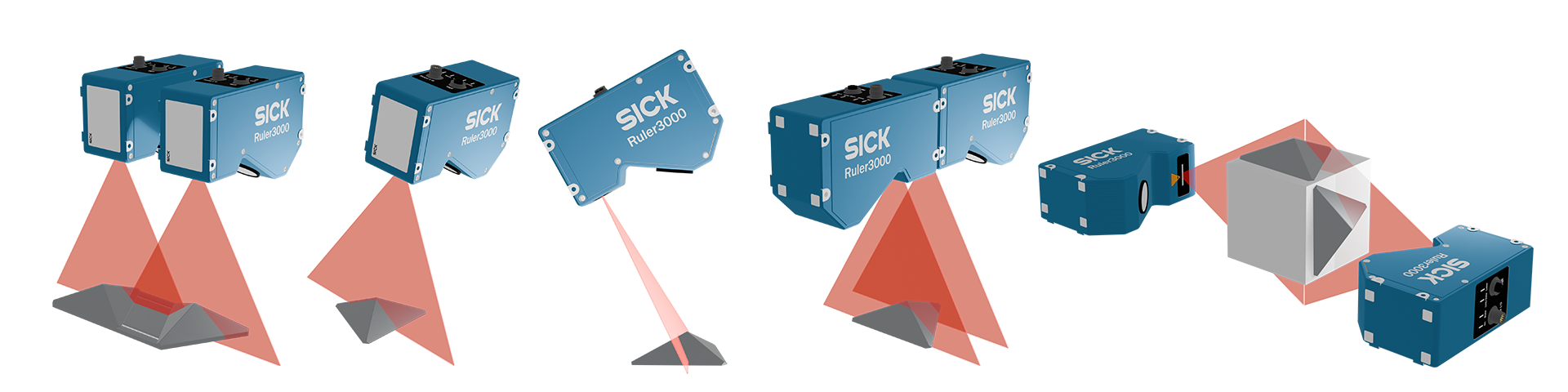
Other improvements:
- Alignment sessions have been removed
- Fixed a bug where acquisition for RulerX/XC cameras could not be started
- Fixed a bug where saving PC calibrated images gave incorrect xml file
- Fixed a bug where saving a calibrated image as float were instead saved as uint16
- Changed the behavior where applying a median filter to suppress noise would instead give false “extra” data instead of removing the noisy values
The Stream Setup configuration software comes included with the Ranger3 and Ruler3000 3D cameras and provides quick and easy configuration, collection, optimization and evaluation with the user-friendly processing tools for e.g., noise reduction and false data removal.
Highlights in Stream Setup version 10.1.0:
- Support for more than 2 cameras when using the alignment tools.
- Single target alignment with 1 to N cameras.
- Alignment can now be done on cameras with reversed motion direction.
- Alignment tools now support Ranger3 cameras in addition to Ruler3000 cameras.
- Encoder resolution calculation wizard to help with encoder setup.
- Usability improvements when working with speed, profile rate, Y resolution, etc.
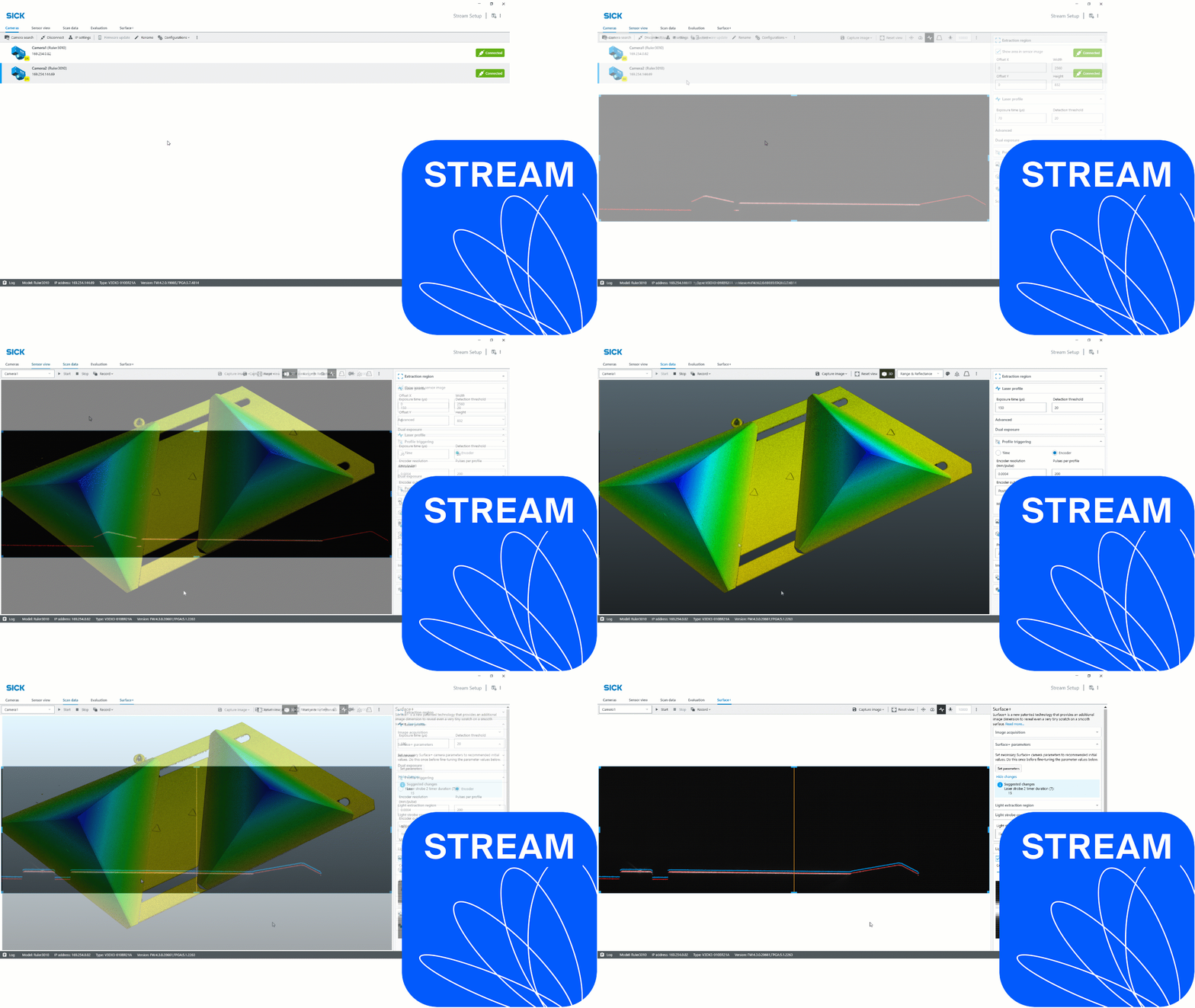
The Stream Setup configuration software comes included with the Ranger3 and Ruler3000 3D cameras and provides quick and easy configuration, collection, optimization and evaluation with the user-friendly processing tools for e.g., noise reduction and false data removal.
Highlights in Stream Setup version 10.0.0:
- Major UI design update - for a uniform SICK Machine Vision software user experience
- Surface+ configuration support
- The Extract profile tool can now do point measurements
- Parameters can now be set/changed without manually stopping and starting the camera
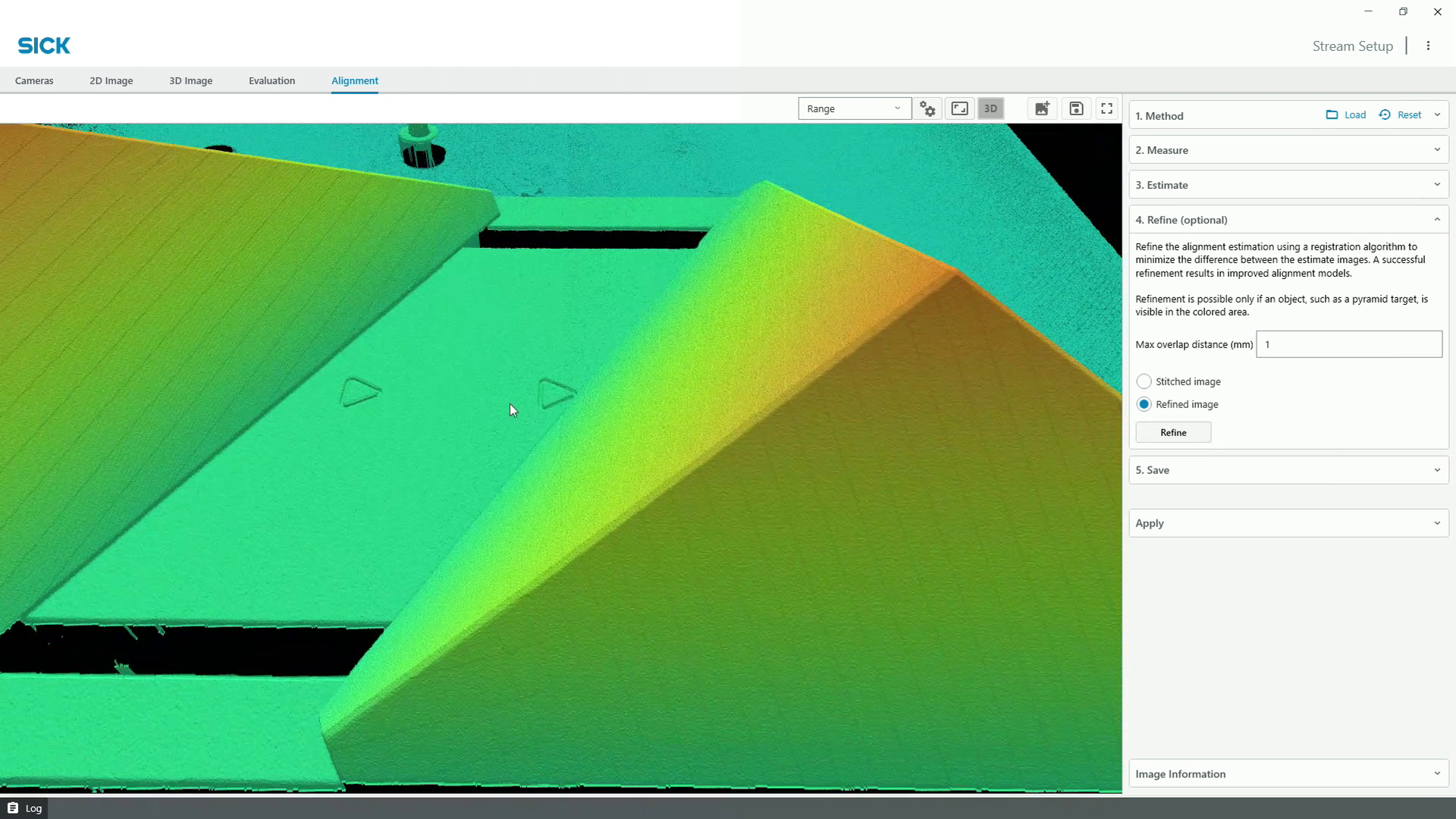
Stream Setup version 9.3.0, enables side-by-side camera alignment to get a stitched image. In many applications it’s useful to combine data from multiple 3D cameras (a.k.a., stitching), allowing for e.g., increased field-of-view, with retained resolution from each SICK Ruler3000 camera.
To easier understand how the functionality works, please watch the video tutorial that shows how to set up the side-by-side configuration, enabling a single output image from two SICK Ruler3000 3D cameras using the SICK Stream Setup software.
Highlights in Stream Setup version 9.3.0:
- Tool for aligning Ruler3000 cameras mounted side-by-side to get a stitched image
- UI design update
- Support for loading mv3 files
Please visit the SICK Support Portal for the full release note.
Please visit SICK.com for more information about SICK Stream software.


